Senior Product Designer · Milan, Italy
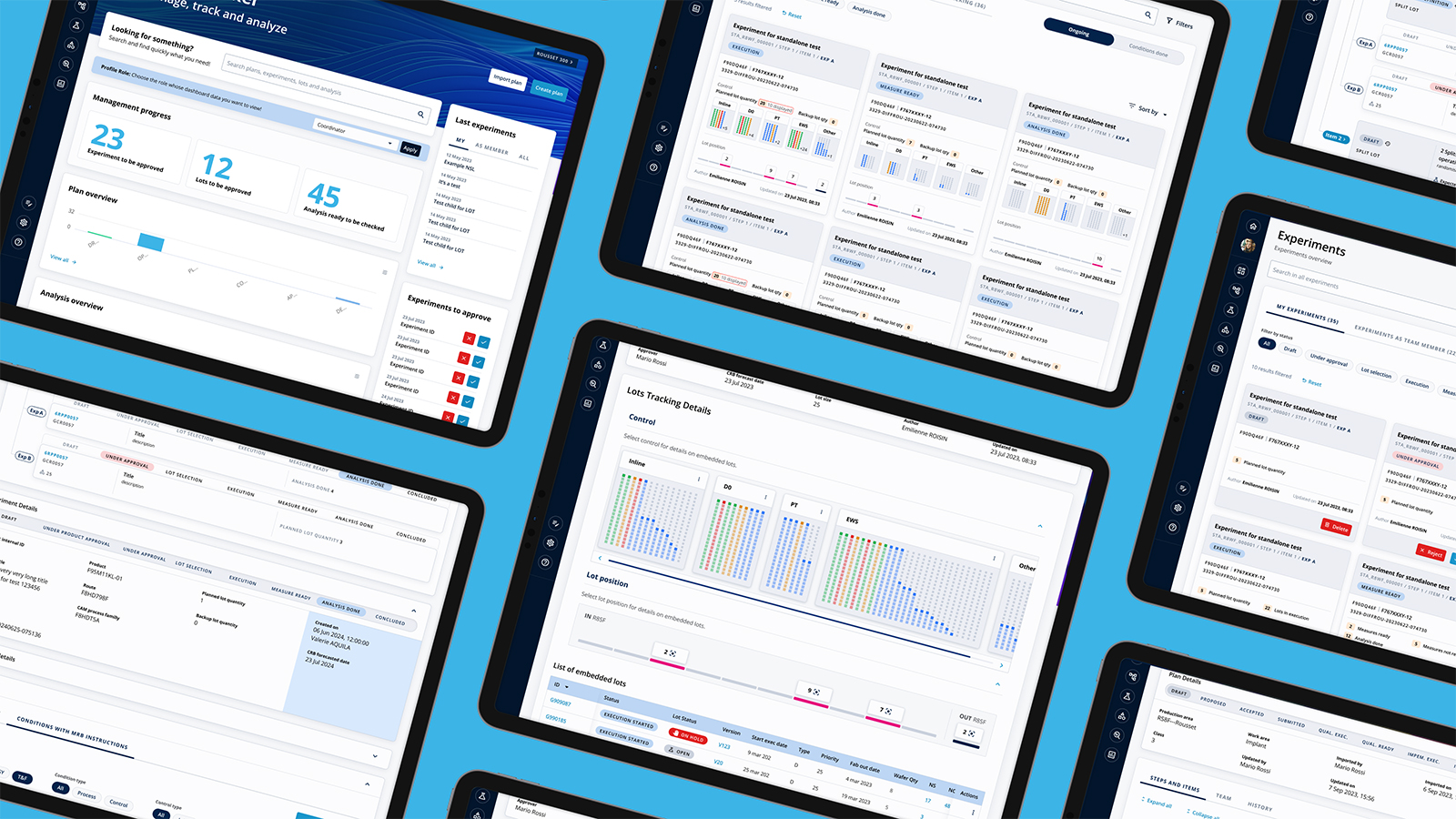
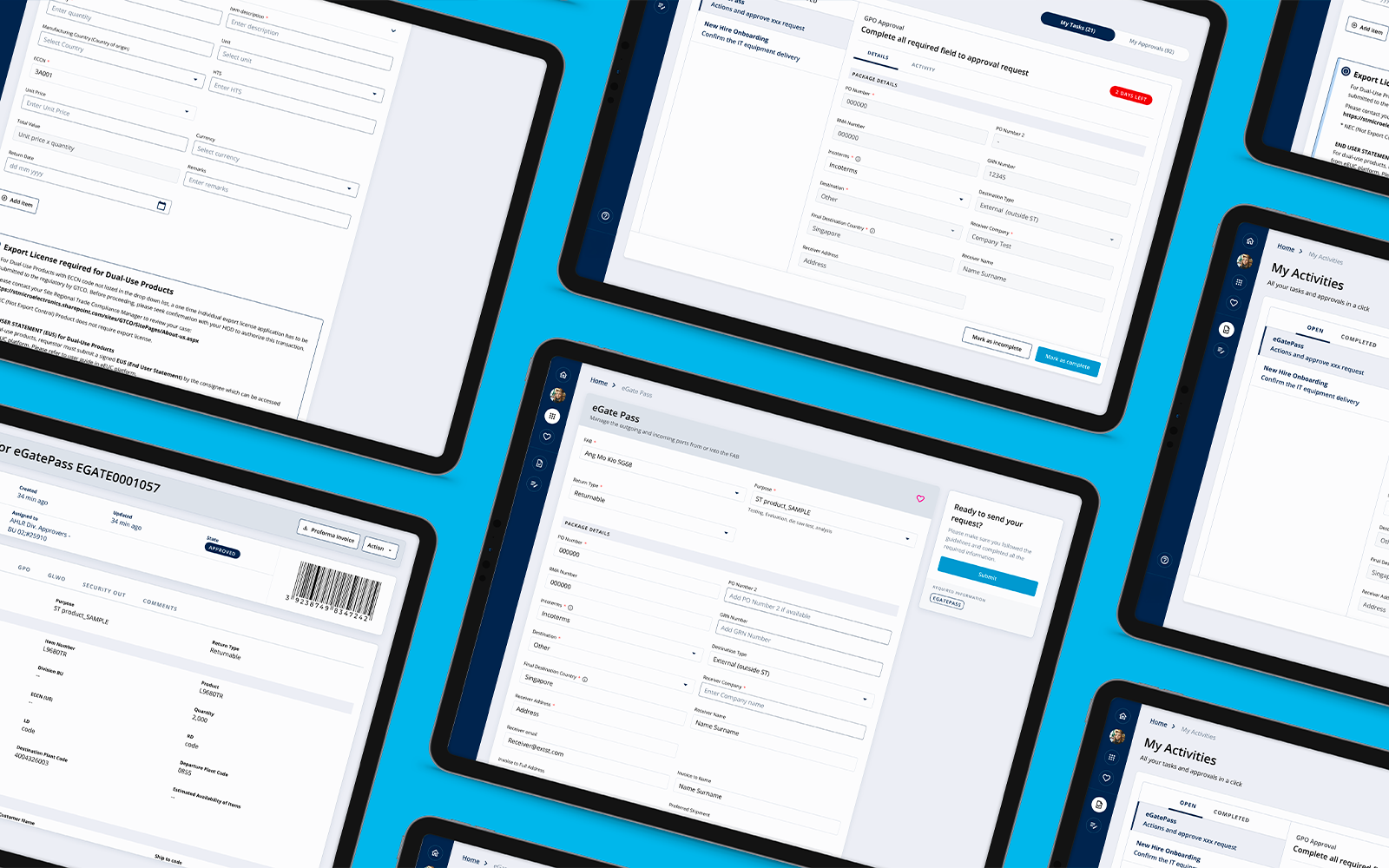
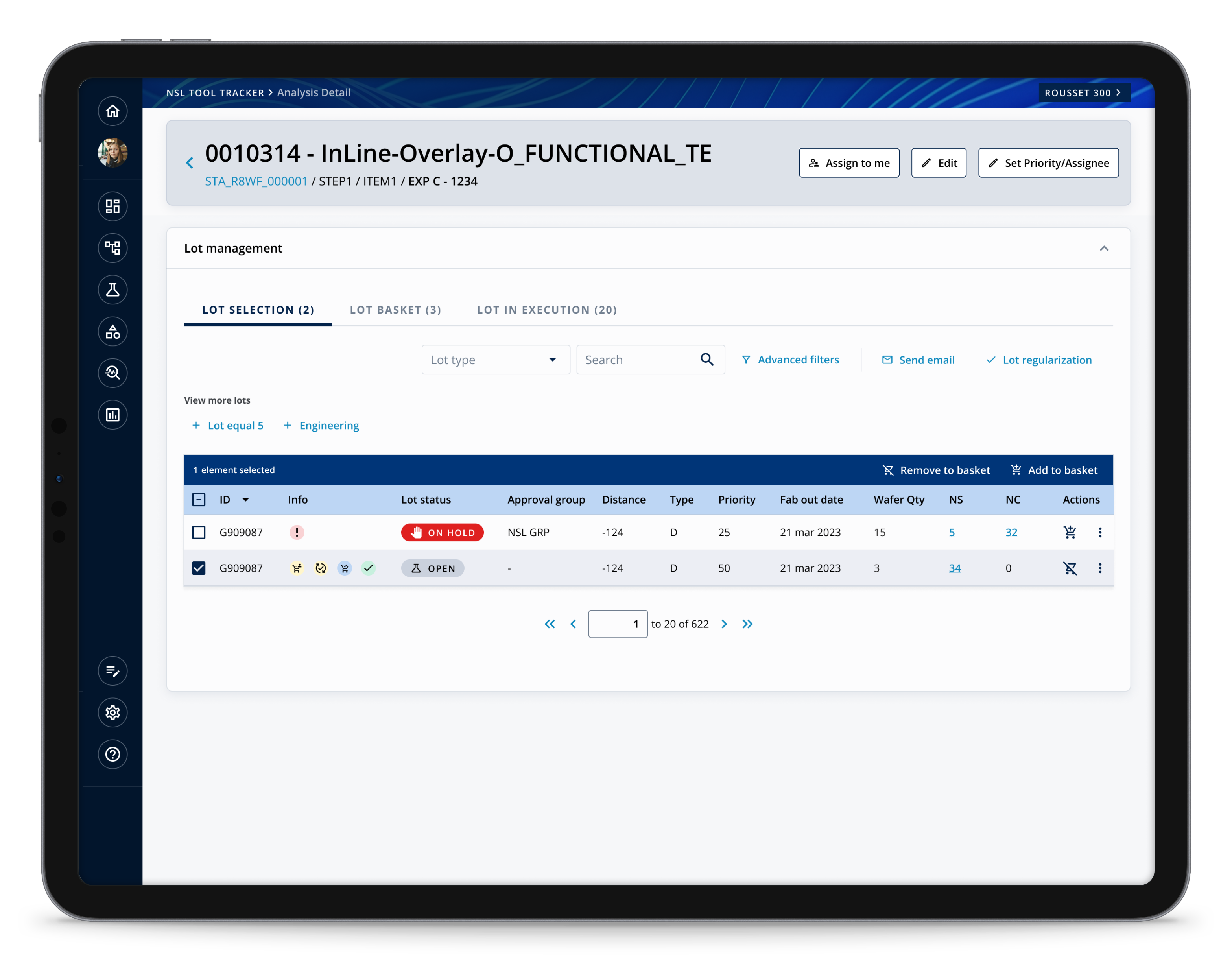
ServiceNow platform redesign — digitising enterprise access management and internal workflows at scale.
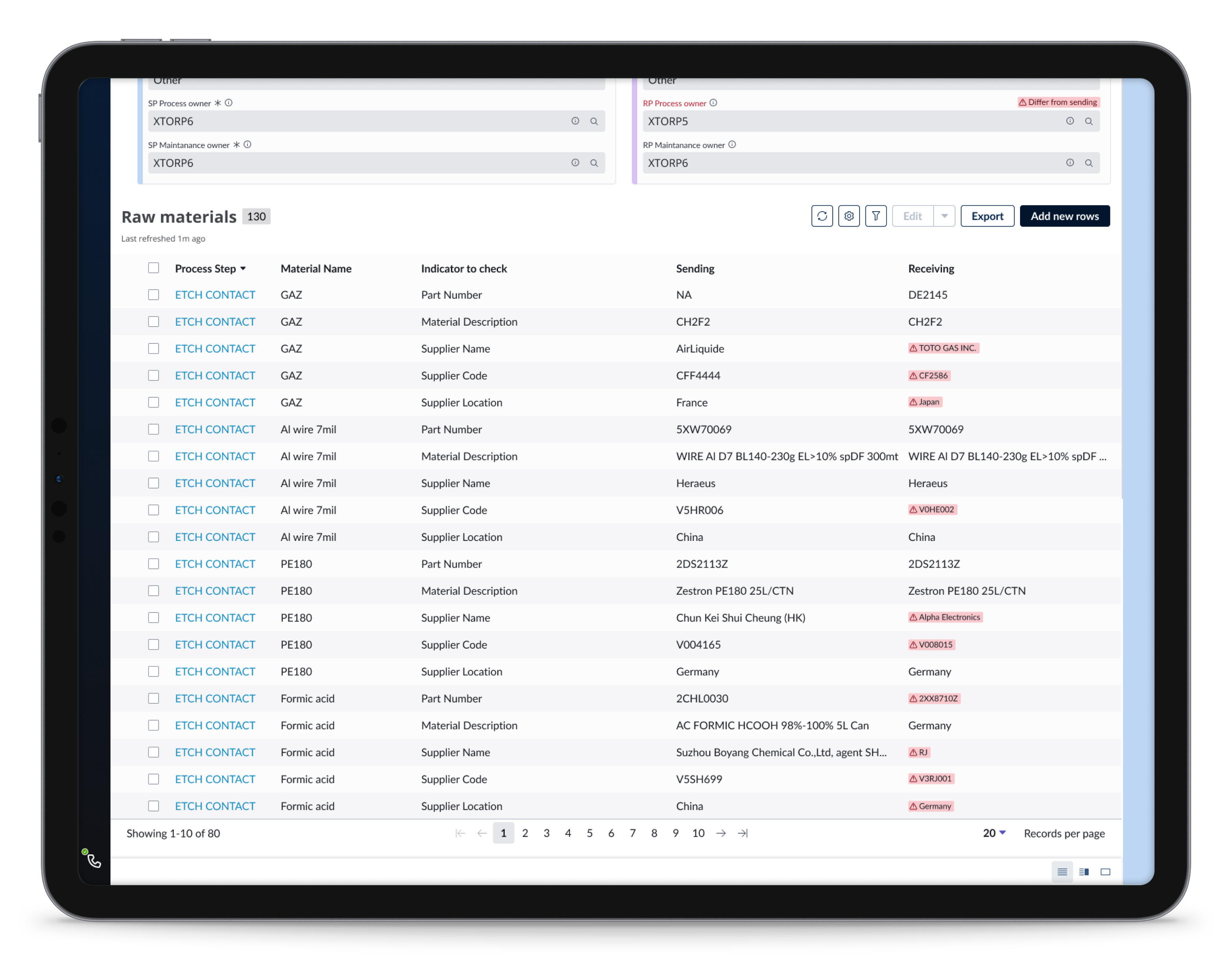
View case study →Redesign of complex ordering flows across multiple markets.
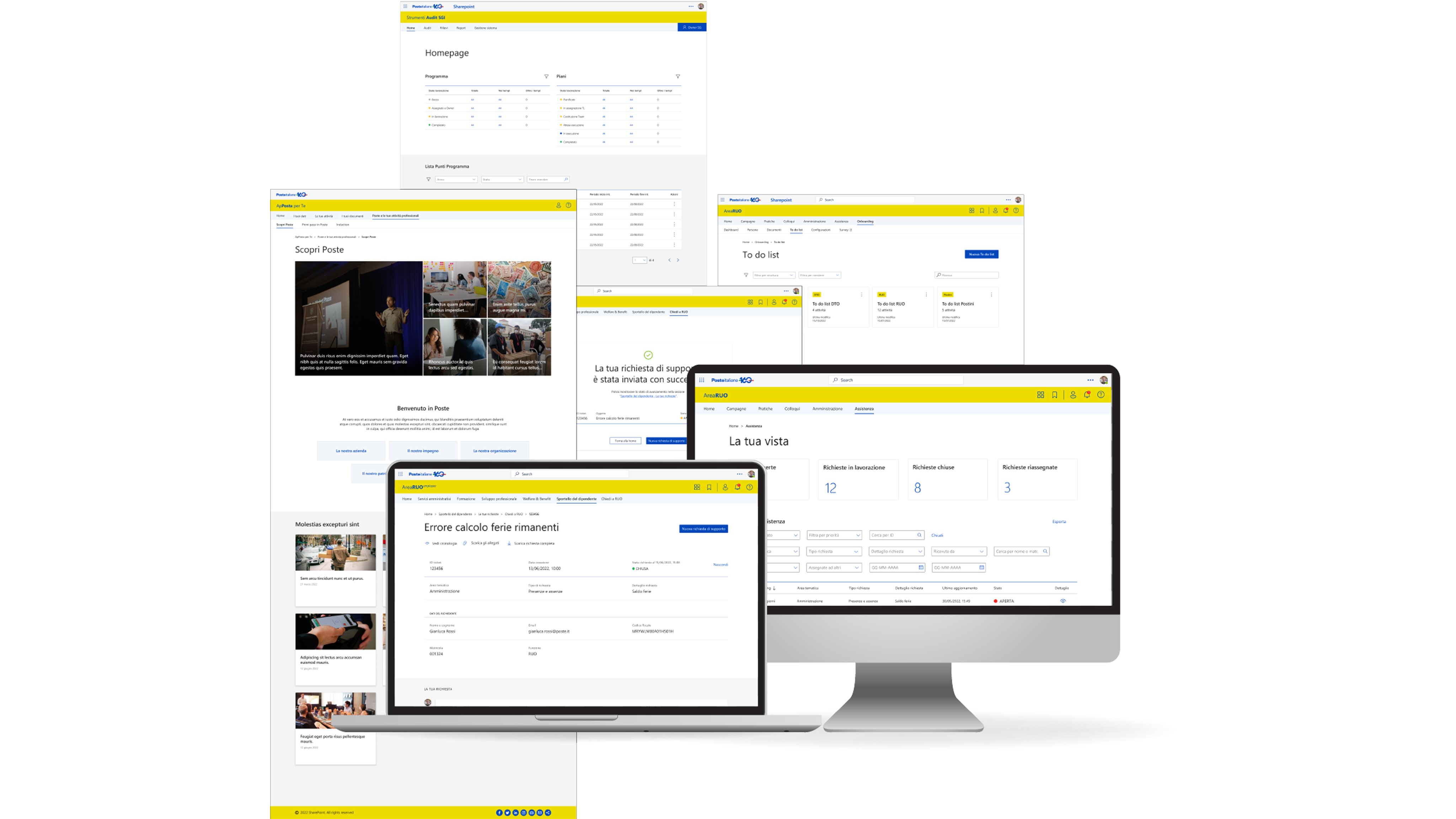
View case study →Digitalization of internal HR and finance processes.
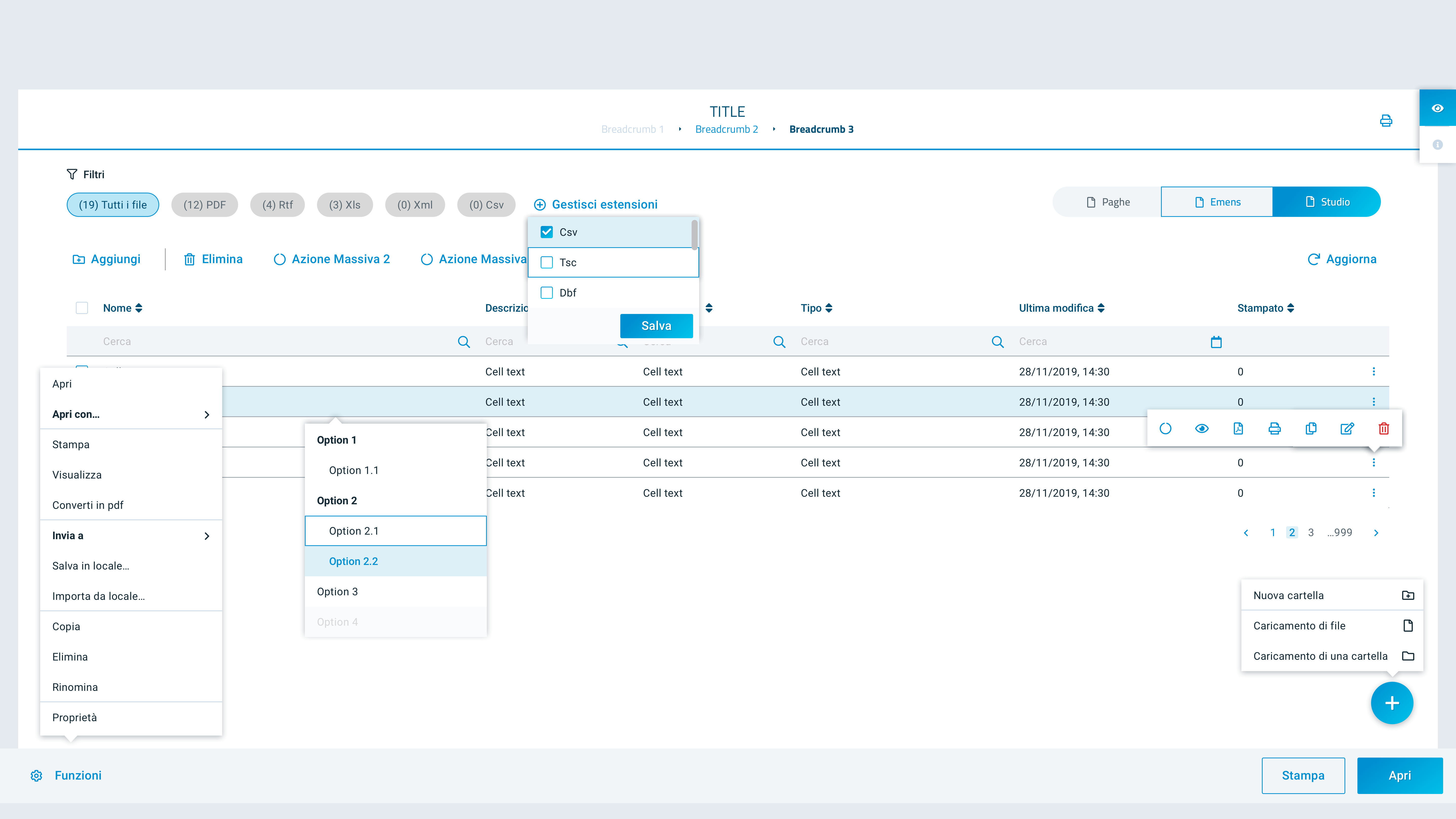
View case study →Mobile-first expense tracking and reconciliation redesign for freelancers and small business owners.
View case study →Redesigning the alerting and triage experience for SRE and DevOps teams at scale.
View case study →I'm a Senior Product Designer with 12+ years of experience building enterprise SaaS and B2B platforms — the kind of products where thousands of decisions happen daily and a single friction point costs real money. I design the systems that make those decisions easier.
Currently at Avanade, I lead UX for large-scale digital transformation initiatives: defining product strategy alongside PMs and engineers, running end-to-end research cycles, and shipping experiences that work for users across multiple roles, markets, and business constraints.
My focus is on information architecture, scalable design systems, and workflows that handle genuine complexity without making users feel it. I hold a Human-Centered Design certification from the Luma Institute, and my engineering background — shaped by years at Politecnico di Torino — means I can hold my own in a product strategy session, a technical architecture discussion, or a user research debrief.

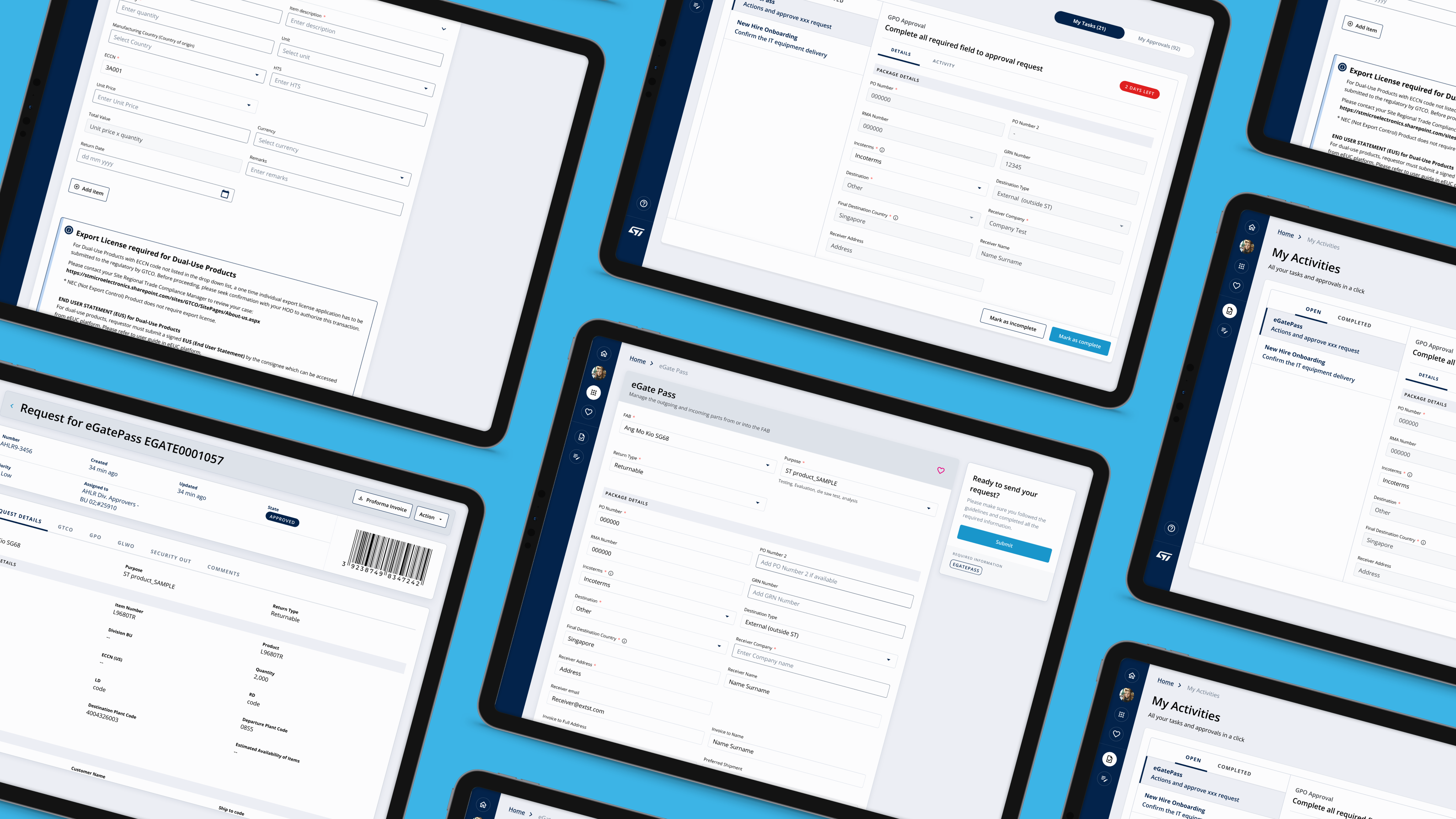
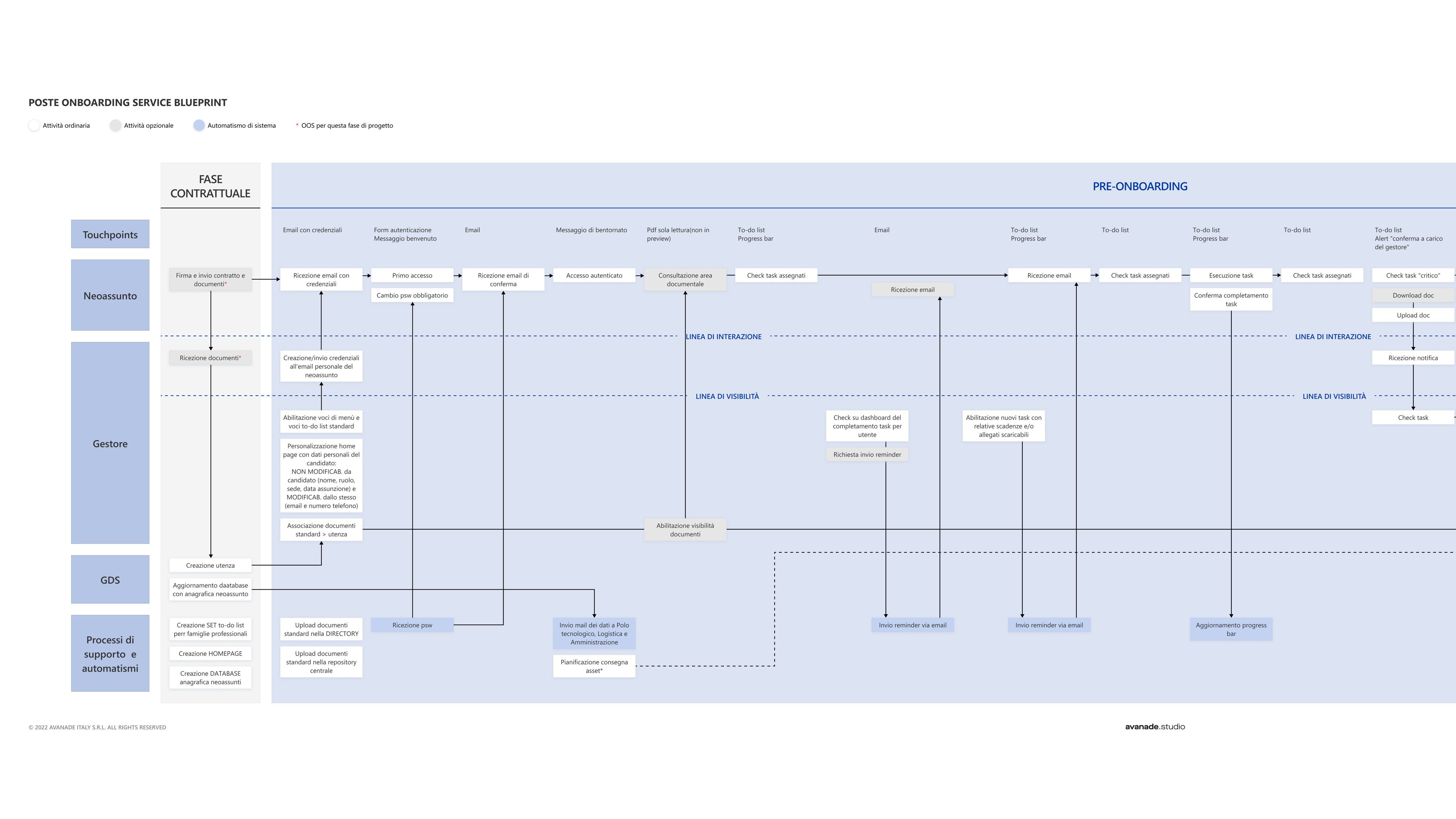
A strategic digital transformation initiative: replacing a patchwork of legacy systems, ad-hoc tools, and manual Excel-based processes with a unified platform built on ServiceNow. The organisation managed critical access and operational workflows across disconnected systems — each with its own logic, permissions model, and user interface. The business case was clear; the design challenge was translating years of fragmented operational knowledge into a coherent, scalable digital product that users would actually adopt.
The platform was used internally by a large enterprise organisation to manage access, permissions, and operational workflows — previously spread across legacy tools, bespoke applications, and manual Excel-based processes.
Users included operators, managers, and administrative staff working daily on the system. The product had evolved over several years, resulting in fragmented processes, inconsistent navigation, and limited scalability. Because it was business-critical, any change had to be introduced without disrupting existing operations.
The redesign had to work within an existing enterprise architecture and ServiceNow platform. The backend logic could not be fully rewritten — the new UX needed to adapt to current data structures and permission models.
Different departments had slightly different workflows, but the experience had to remain consistent across all of them. Performance and stability were non-negotiable: the platform was used across the entire organisation, every day.
The organisation's operational processes were running on a fragile mosaic of legacy tools, bespoke applications, and manual workarounds — Excel files, shared drives, email threads, and systems built in isolation years earlier with no common architecture.
Process ownership was unclear, data lived in silos, and access management was handled inconsistently across business units. Any change to a workflow meant coordinating across multiple disconnected systems — the operational risk was significant, and the user experience reflected it.
“Years of operational complexity had been absorbed into the tools. The tools had become the process.”
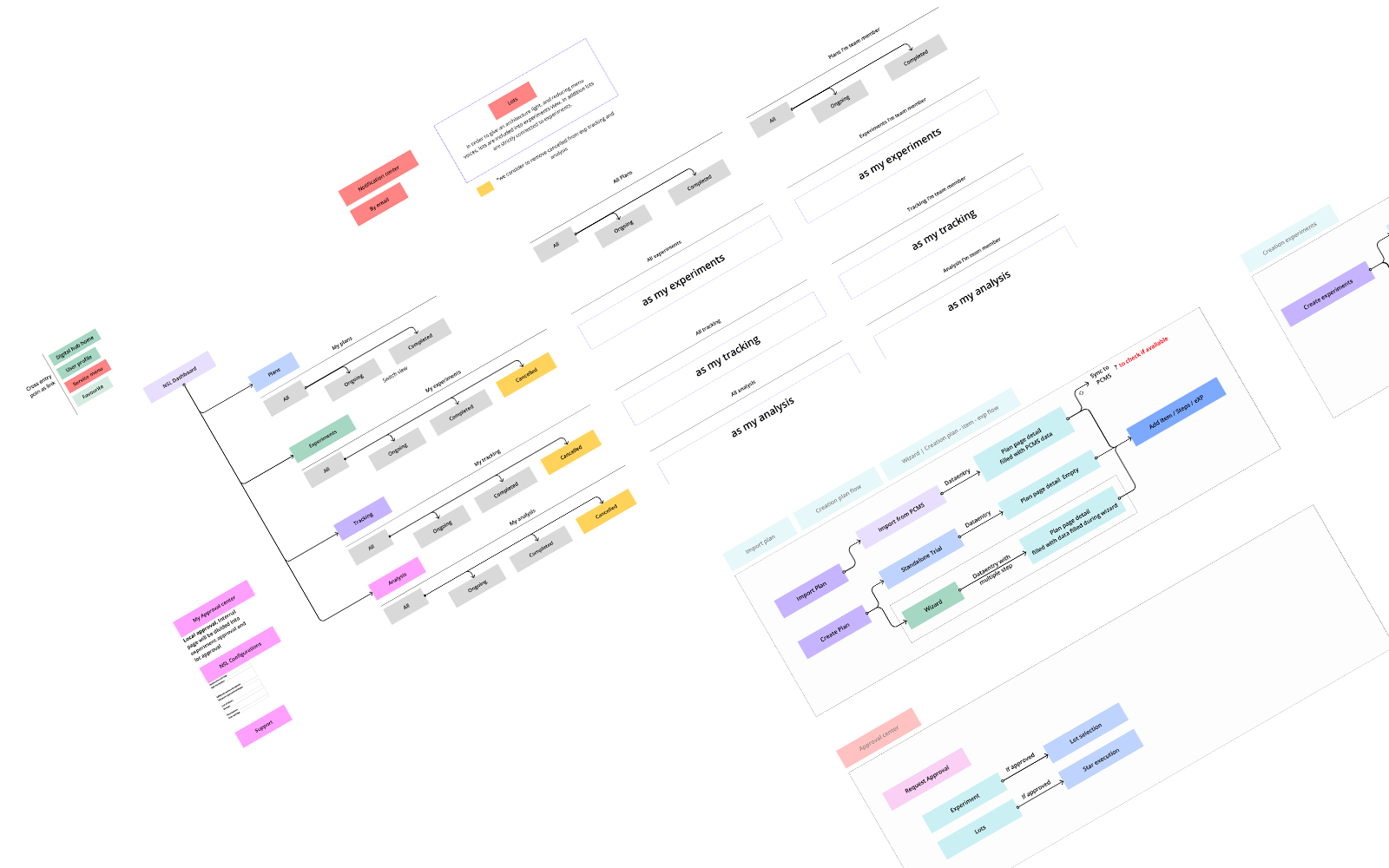
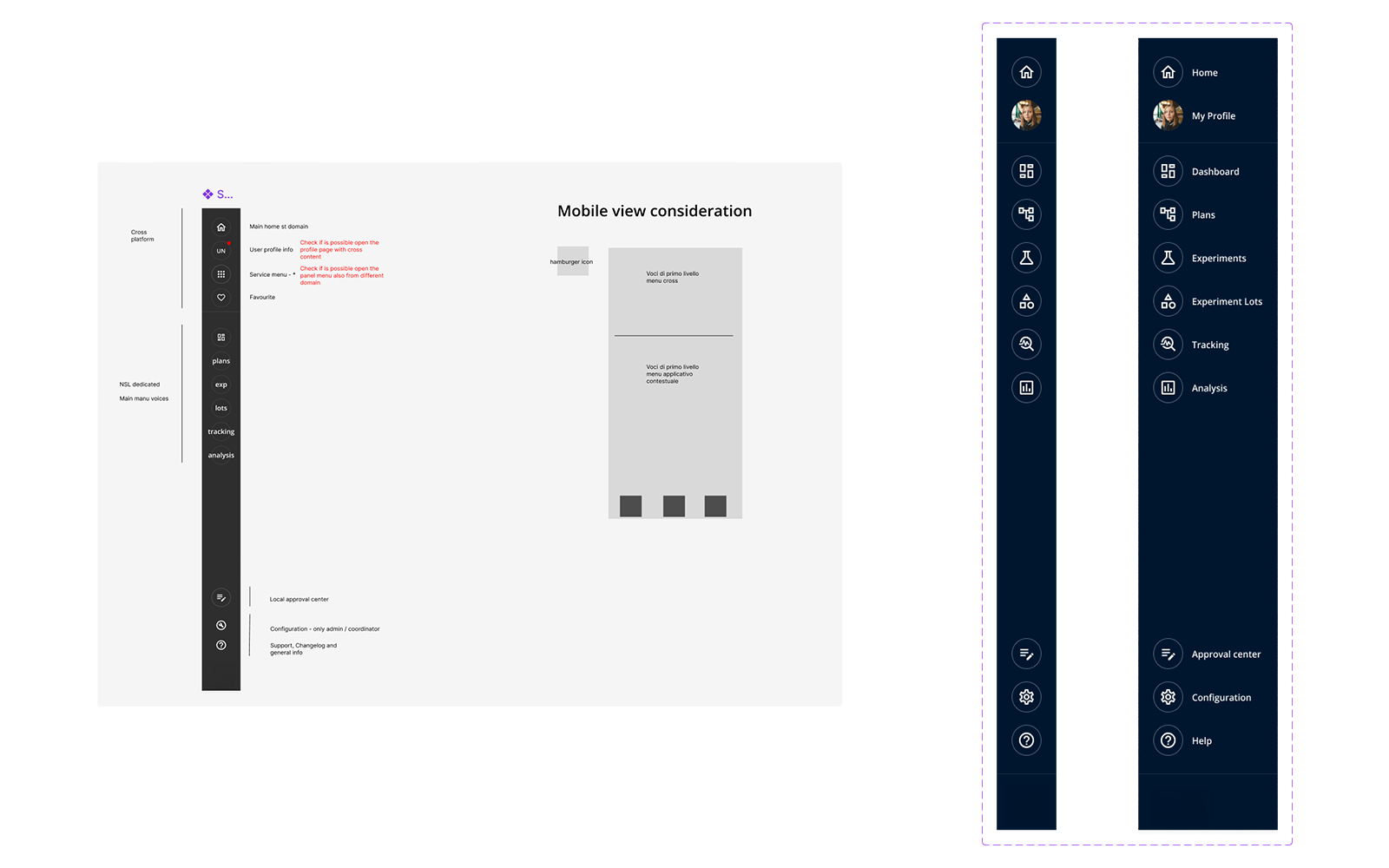
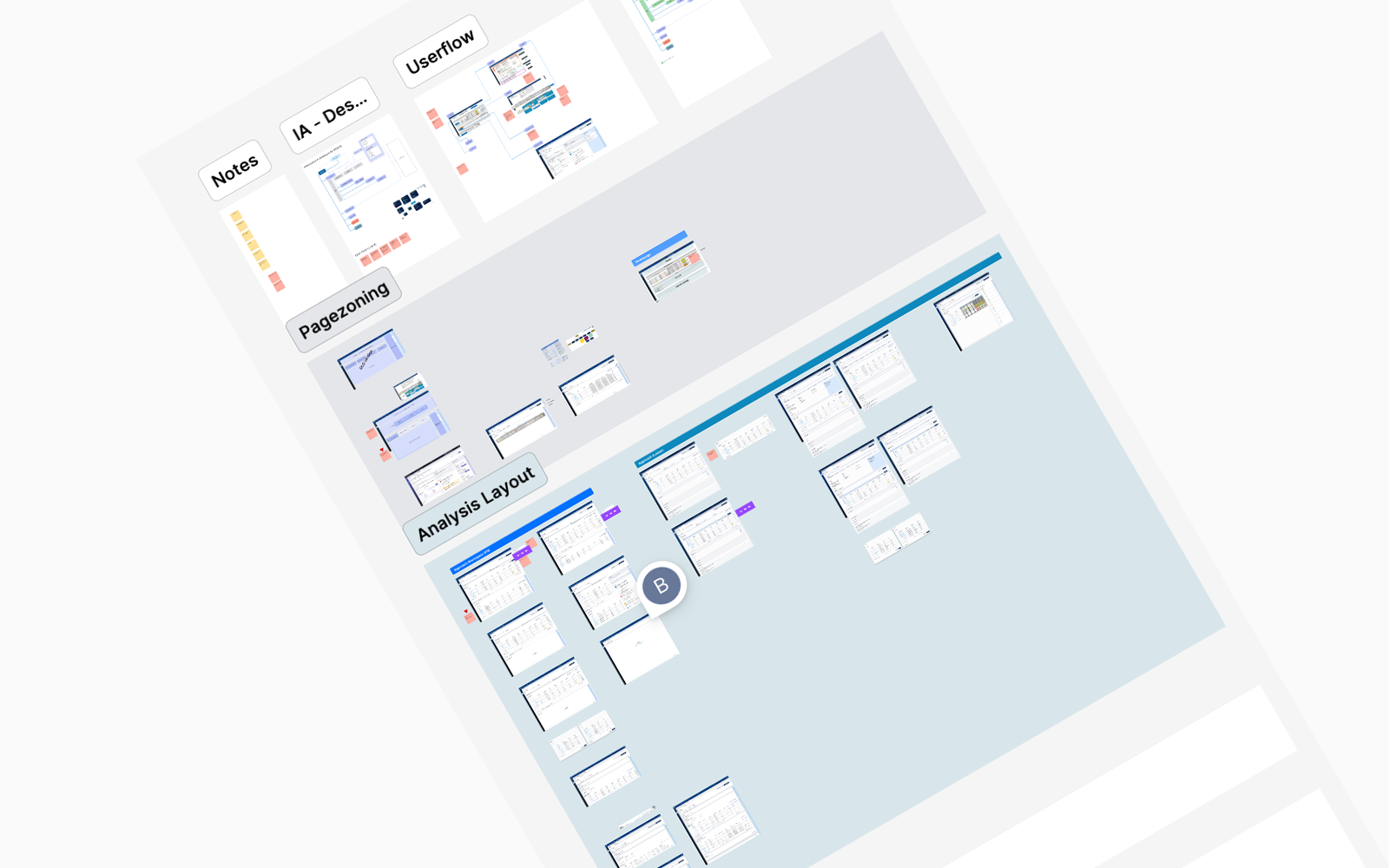
I led the UX workstream end-to-end, embedded with product owners, developers, and business stakeholders. I defined the interaction model, designed the navigation system, and ensured the solution could scale across different workflows.
I ran stakeholder workshops across multiple business units to surface tacit process knowledge, identify duplication, and define what “good” looked like before a single screen was designed. Working closely with the ServiceNow technical team, I translated complex workflow logic and permission models into interaction patterns that shielded users from underlying complexity while preserving power for administrators.
A full redesign of every system was not feasible, so we focused on improving navigation and interaction patterns first. We introduced a modular layout even where some legacy screens could not be fully updated.
We simplified workflows where possible, but kept validation steps required by the business. The goal was to improve usability without breaking existing logic — and to resist the pressure to simply replicate old systems in a new interface.
Early concepts were reviewed with internal users across roles. Operators requested faster access to frequent actions; managers needed better oversight of requests and statuses.
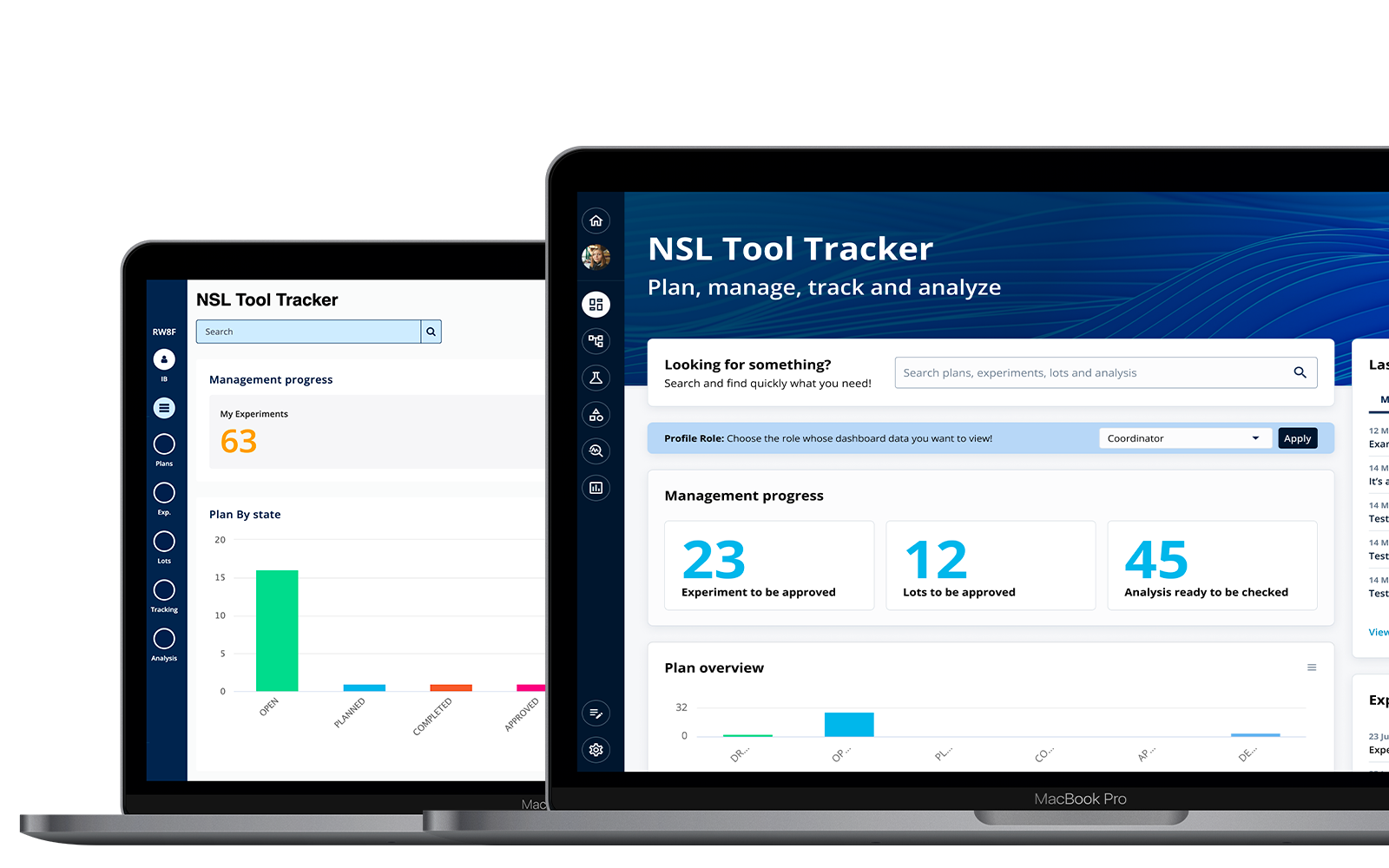
We refined the dashboard structure, added clearer status indicators, and simplified navigation between modules. Several iterations were needed to balance usability against technical constraints — each round informed by direct feedback from the people using the system daily.
The most critical design decision was resisting the instinct — from stakeholders and process owners — to replicate old systems digitally. The UX work was to challenge that, and redesign the underlying processes before designing any interface.
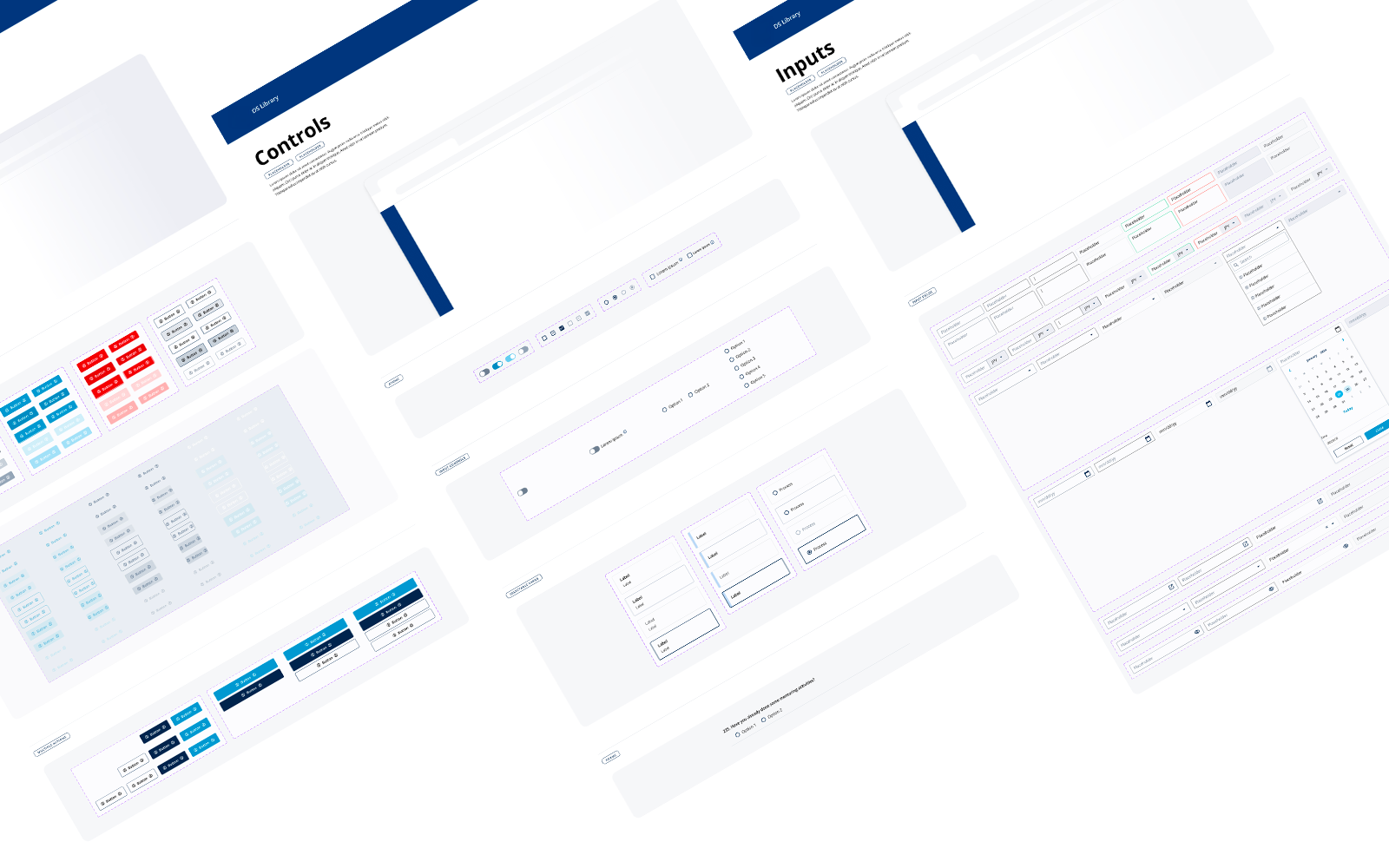
Access request flows were redesigned around user intent rather than system structure. Role-based dashboards replaced generic landing pages. Complex permission logic was abstracted behind progressive disclosure patterns — present when needed, invisible when not. Every component was tokenised and built to handle edge cases not yet on the roadmap.
The new structure reduced the time needed to complete daily tasks. Users reported better clarity when navigating between modules. The modular design allowed the product team to introduce new features without redesigning the entire platform — and became the foundation for future internal tools.
I led the UX workstream for this project, working closely with product owners, developers, and business stakeholders.
I defined the interaction model, designed the navigation system, and ensured the solution could scale across different workflows and future process additions.

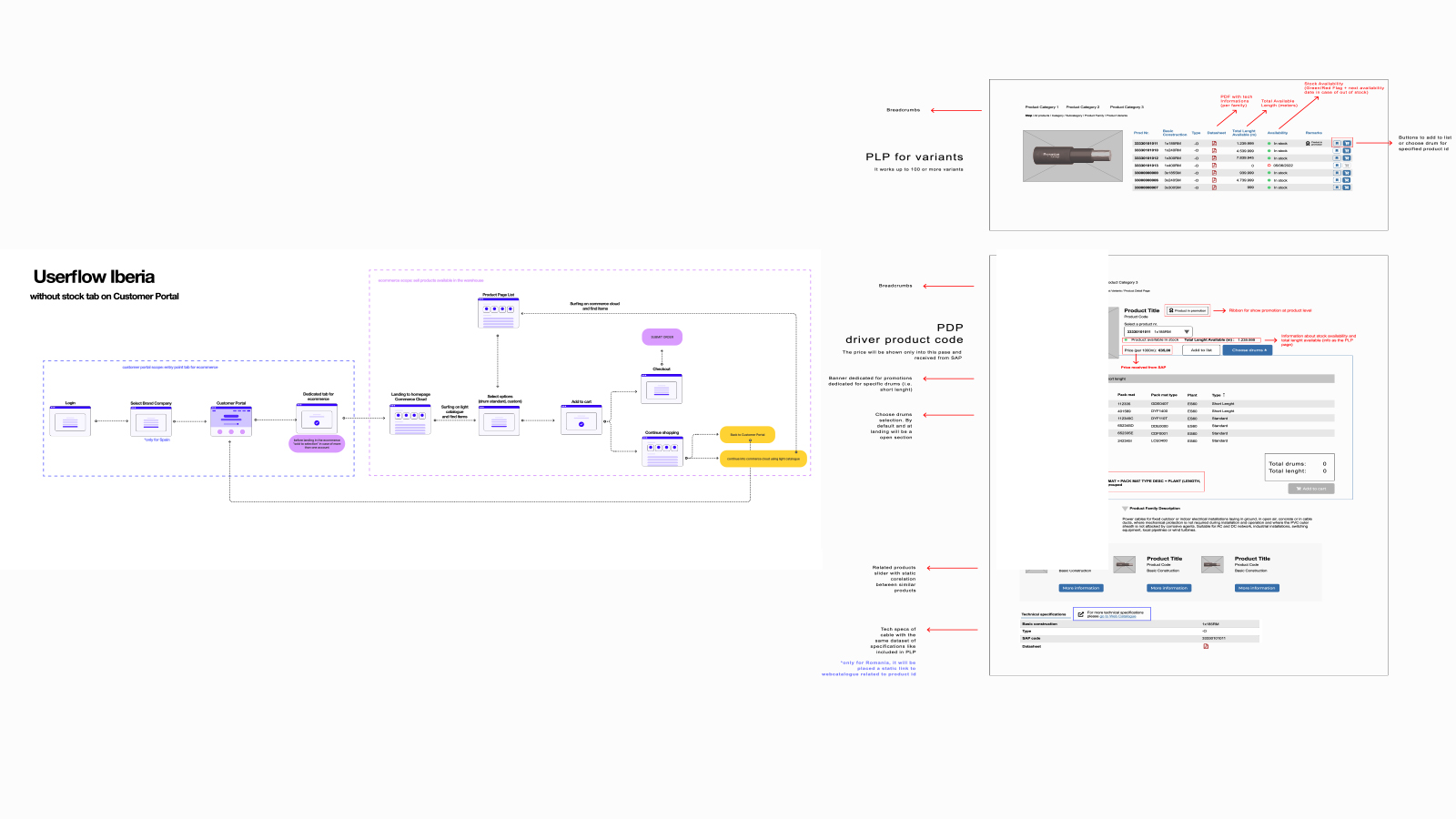
A full UX redesign of a B2B commerce platform built on Salesforce Commerce Cloud, serving professional buyers across four European markets. The business problem was a direct conversion issue: complex, inconsistent ordering flows — each market behaving differently — were causing buyers to abandon mid-order and fall back to manual sales team assistance. I led the redesign from user research through to launch, unifying the experience across markets while pushing all localisation complexity into the backend where it belongs.
The platform supported multiple European markets with different pricing rules, catalogue structures, and ordering workflows. Users included distributors, internal sales operators, and customer service teams.
Orders often contained many items, custom configurations, and country-specific constraints. Because of this complexity, even small usability issues had a strong impact on efficiency and error rate.
The redesign had to work within an existing backend architecture integrated with SAP and regional pricing systems. We could not redesign the entire checkout logic — the new UX had to improve usability without changing core business rules.
Different countries had variations in the flow, but the experience needed to remain consistent across markets from the user’s perspective.
Professional buyers across 4+ European markets navigated fundamentally different checkout flows for the same product on a Salesforce Commerce Cloud platform. SAP-integrated pricing and live stock data created frequent dead-ends mid-order, with no recovery path.
The interface forced buyers to think backwards from how they actually worked: the mental model they brought to the task was completely different from the model the interface assumed.
“The interface forced buyers to think backwards from how they actually work.”
I led the UX redesign of the ordering experience, working with product owners, developers, and business stakeholders. I was responsible for defining the flow, validating interaction models, and ensuring the solution could scale across multiple markets.
I started by shadowing buyers during live ordering sessions — the first time it had ever been done on this product. The gap between the user’s mental model and the interface’s assumption became immediately visible.
We evaluated a complete checkout redesign, but it required major backend changes — so we focused on simplifying the existing flow instead. We reduced the number of screens while keeping validation steps required by the business.
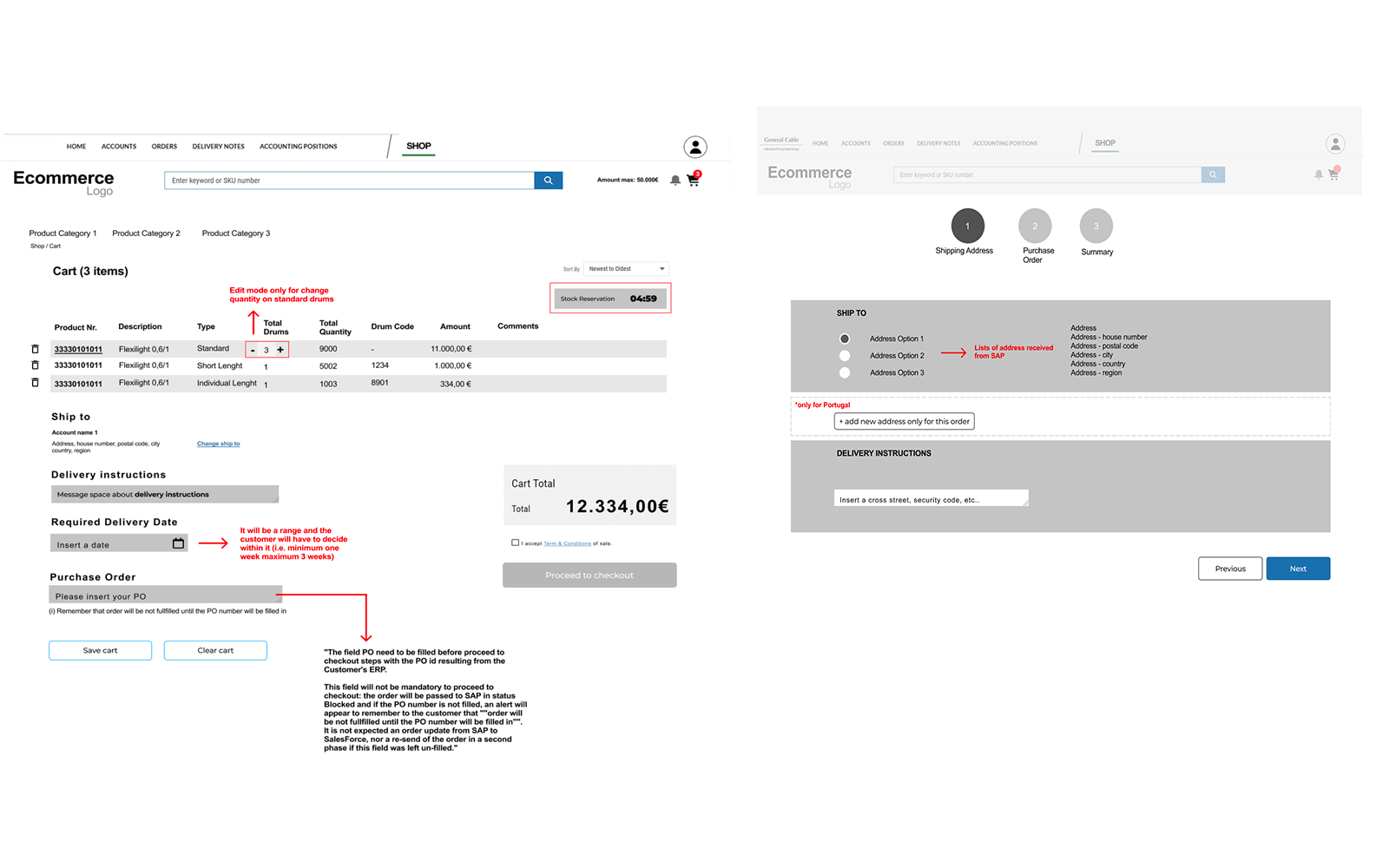
We introduced a unified cart structure even where some markets had different rules, to keep the experience predictable. Market-specific localisation logic was pushed entirely into the backend, where it belonged.
Early versions of the flow were tested with internal users. Expert users preferred fewer steps; new users needed more guidance. We refined the flow to keep it fast while adding summaries, validation messages, and clearer navigation.
Multiple reviews with developers were needed to keep the solution technically feasible — each round tightening the balance between UX simplicity and backend reality.
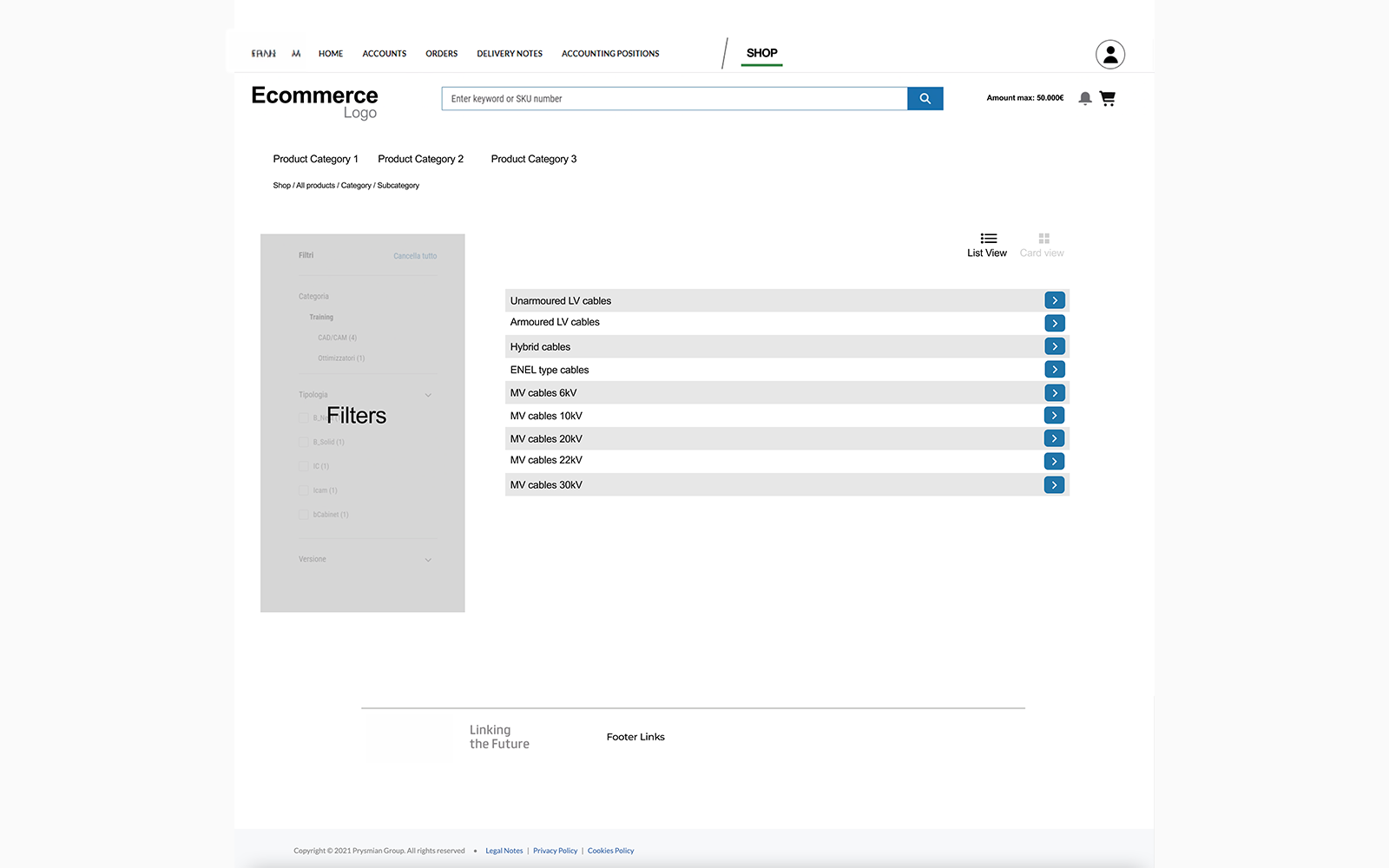
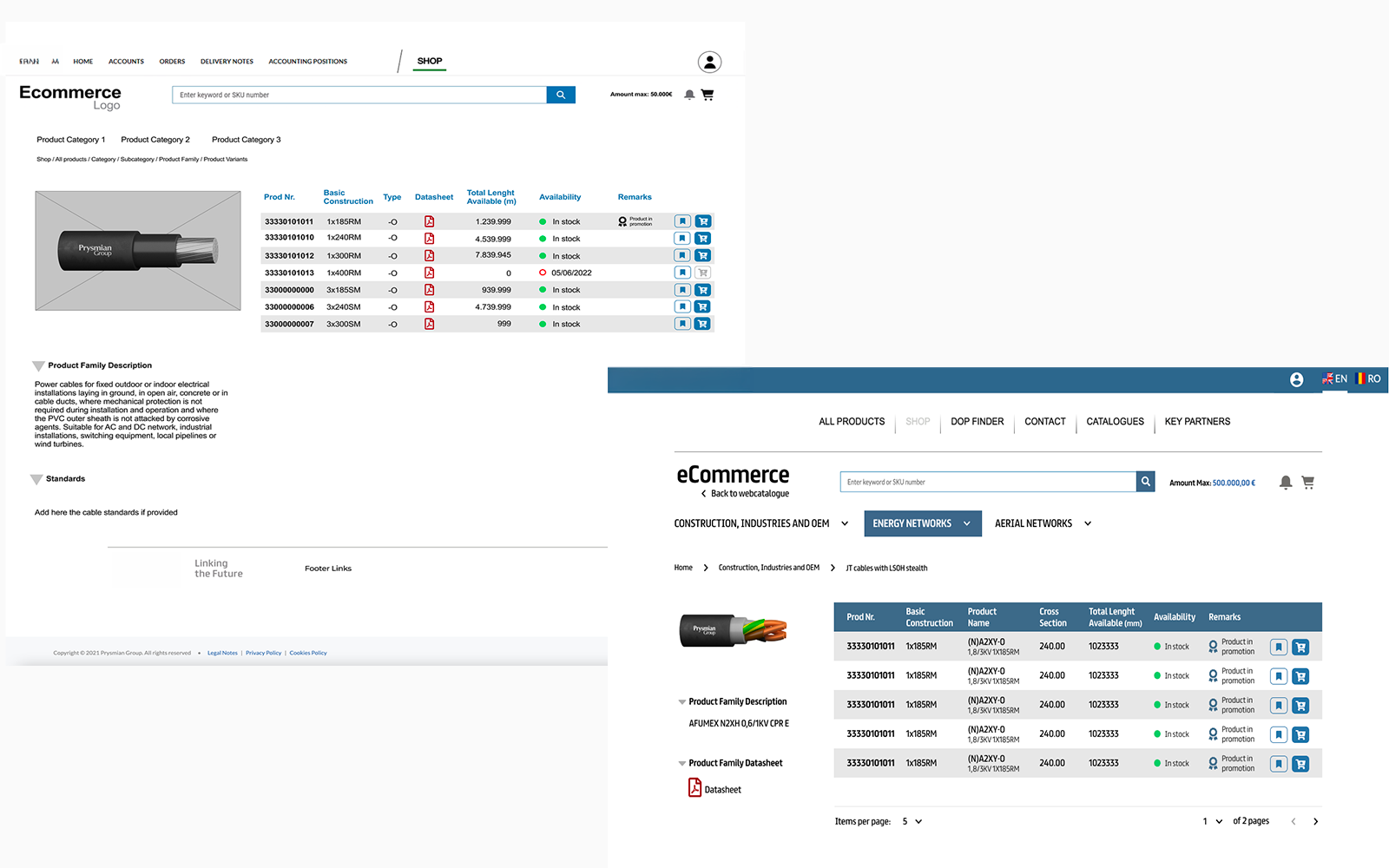
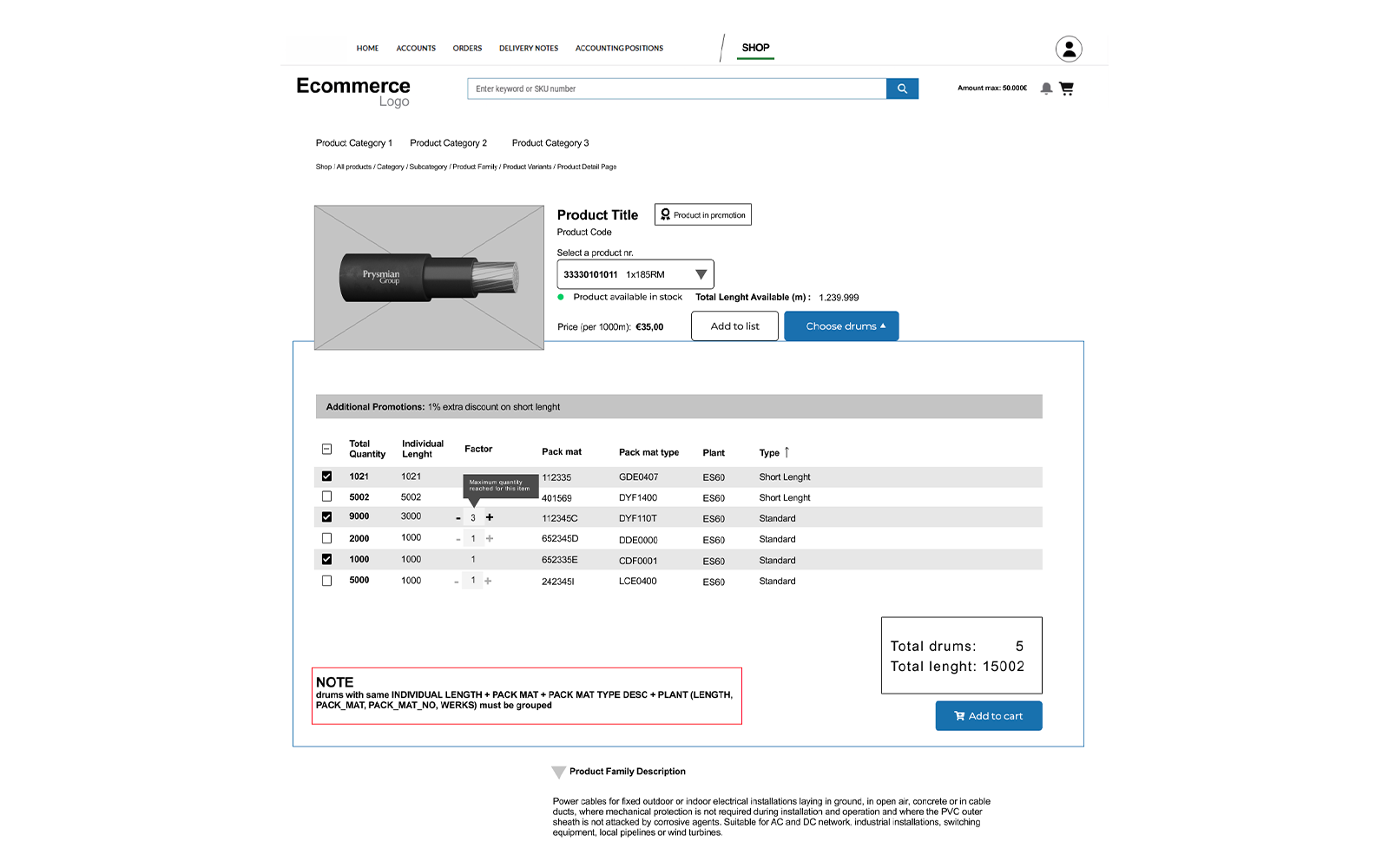
Split PLP and PDP by function, not convention. The list page became a dense comparison table — stock status, pricing, datasheets, all visible without a click. The detail page became the configuration space, with a persistent running total updating in real time against live SAP data.
This eliminated the dead-end problem entirely — unavailable variants were surfaced early, not at checkout. Adding a new market became an engineering task, not a design one.
The new flow reduced the number of steps required to complete an order. Operators reported fewer errors when reviewing large carts. The unified structure allowed the same experience to be reused across different markets, and made it easier to introduce new pricing rules without redesigning the UI.
I led the UX redesign of the ordering experience, working with product owners, developers, and business stakeholders.
I was responsible for defining the flow, validating interaction models, and ensuring the solution could scale across multiple markets and future product catalogue changes.

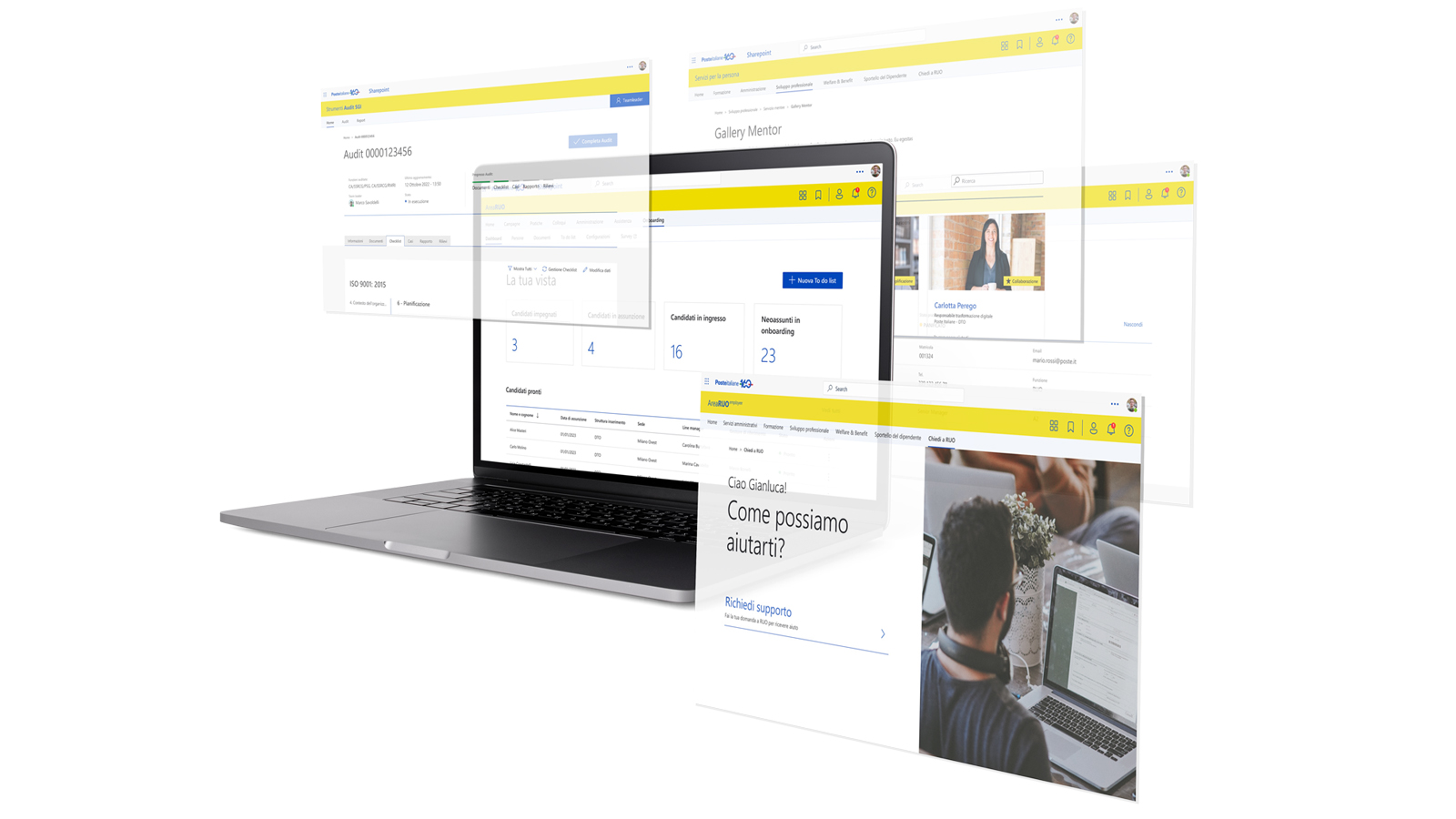
An end-to-end product design initiative within the Microsoft 365 ecosystem, transforming a fragmented set of HR processes — running across email, spreadsheets, and disconnected SharePoint pages — into a coherent internal platform. The constraint was significant: no new infrastructure, no custom backend, entirely within SharePoint. The strategic challenge was making a filing cabinet feel like a product. I led UX from discovery through delivery, designing a shared component system that served three distinct user roles without requiring bespoke design work for each.
The platform was used to manage internal HR and administrative processes across a large organisation. Users included employees, managers, and HR operators.
The system supported multiple workflows — requests, approvals, and data management. Over time, new processes were added without a consistent UX strategy, resulting in a fragmented experience that varied significantly from module to module.
The redesign had to integrate with existing HR systems and operate entirely within the Microsoft 365 ecosystem. Some workflows were defined by regulations and could not be simplified.
Different departments had different needs, but the experience had to remain coherent across roles. The solution had to support future processes without requiring a redesign of the entire UI.
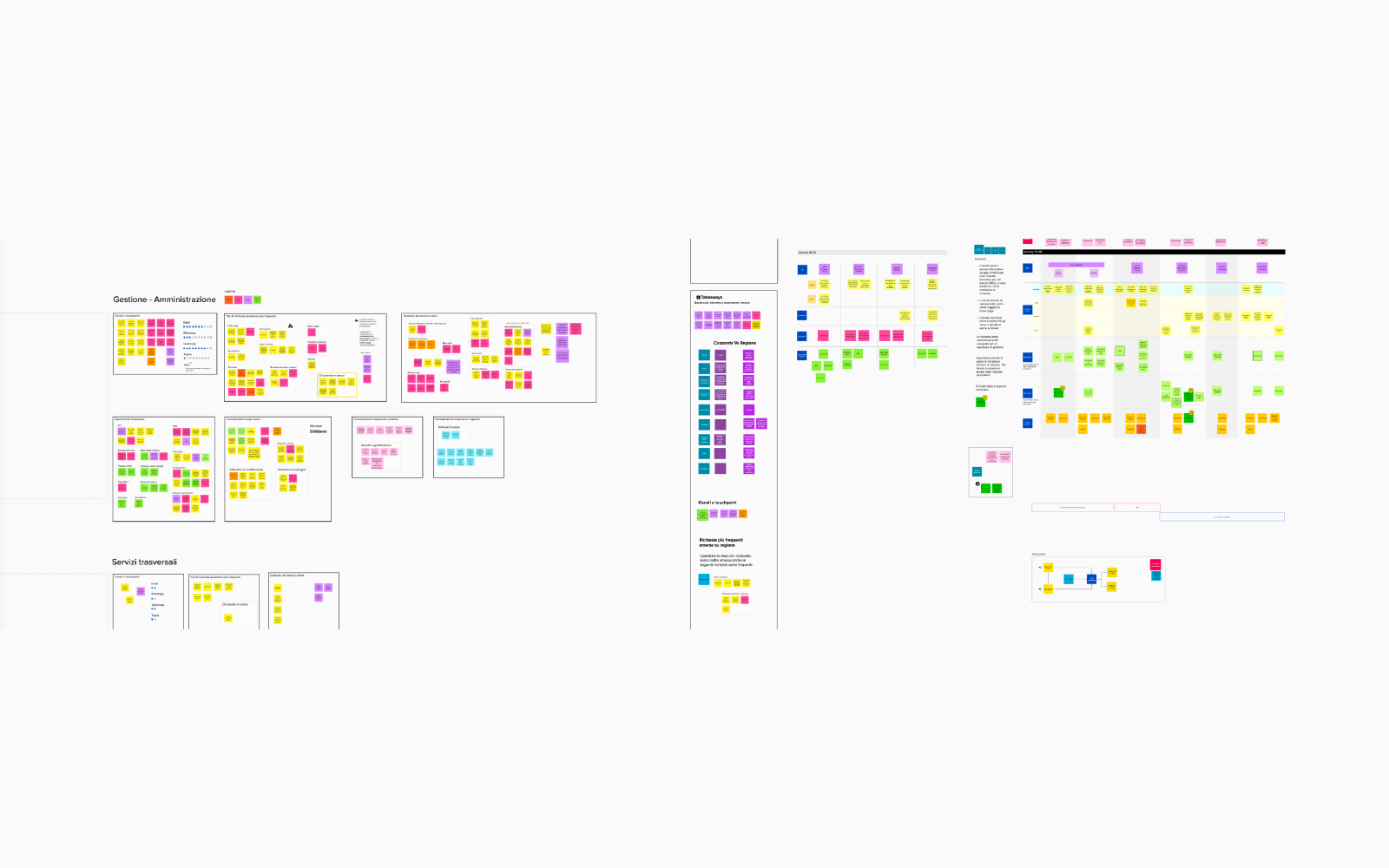
HR processes — onboarding, audits, compliance, mentorship — ran across email, spreadsheets, and disconnected SharePoint pages. Process visibility was near zero for everyone involved.
Team leaders had no reliable way to know the status of a candidate in the pipeline. HR managers couldn’t see where a compliance audit was stalling. Employees had no single place to understand what the system could do for them — so they didn’t use it.
“The biggest barrier wasn’t complexity. It was invisibility — people didn’t know what the system could do for them.”
I led the UX design for the workflow platform, collaborating with product owners, developers, and HR stakeholders. I defined the interaction patterns, designed reusable components, and ensured the system could scale to support future processes.
I ran stakeholder interviews across HR directors, team leaders, and frontline employees to understand how they actually worked — not how process documentation said they should. This surfaced the discoverability insight early: the barrier was invisibility, not complexity.
We simplified forms where possible, but kept mandatory validation steps. We introduced reusable patterns even where some legacy modules could not be updated.
We focused on workflow clarity first, before visual redesign. The priority was scalability and adoption — not a visual refresh. Making SharePoint feel like a real product required working within its constraints, not around them.
Workflows were reviewed with HR teams and internal users across multiple rounds. We discovered early that visibility of status was more important than reducing the number of steps.
We introduced dashboards, clear status indicators, and consistent form layouts. Several iterations were needed to support all business rules while keeping the experience intuitive for users across very different roles.
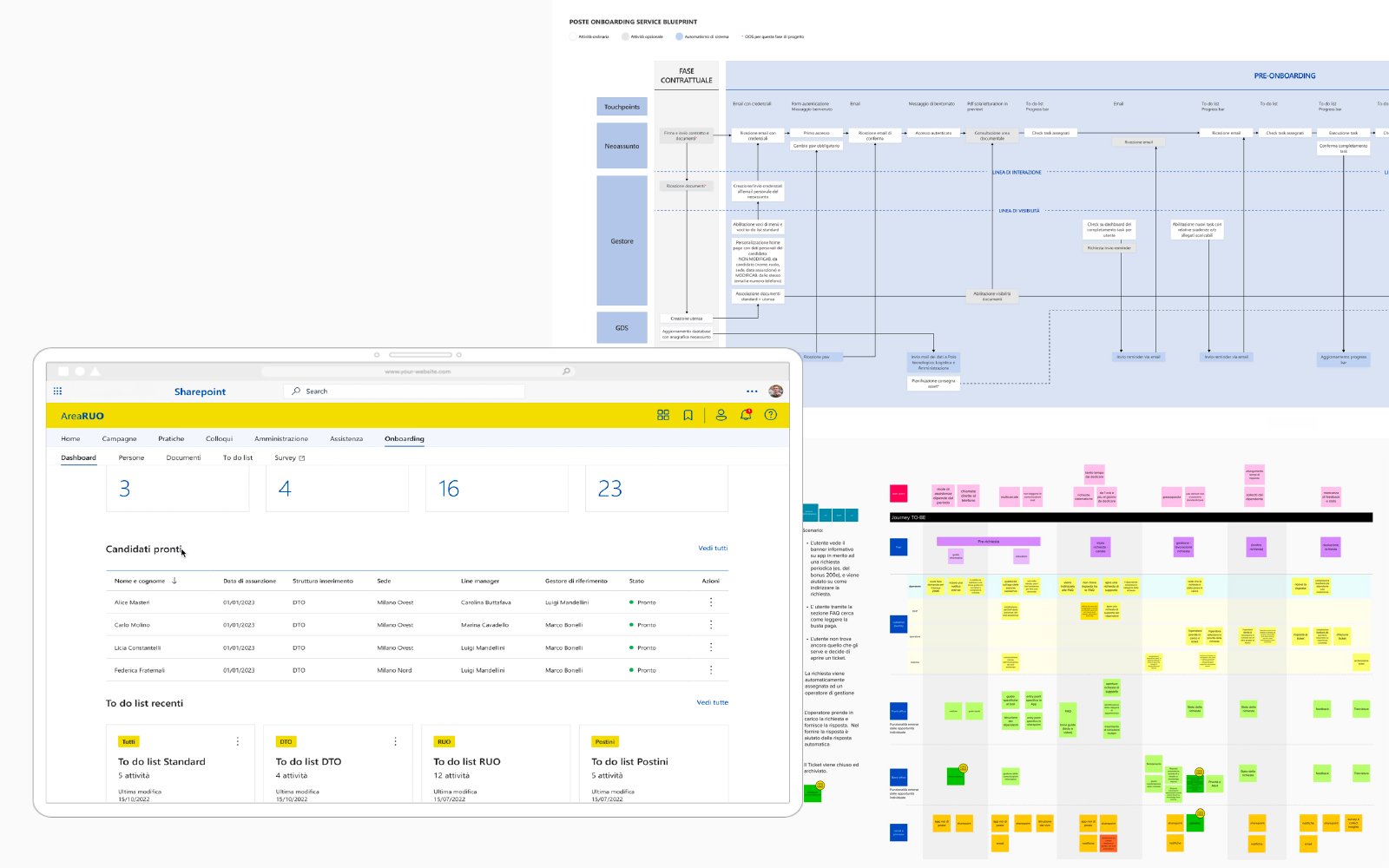
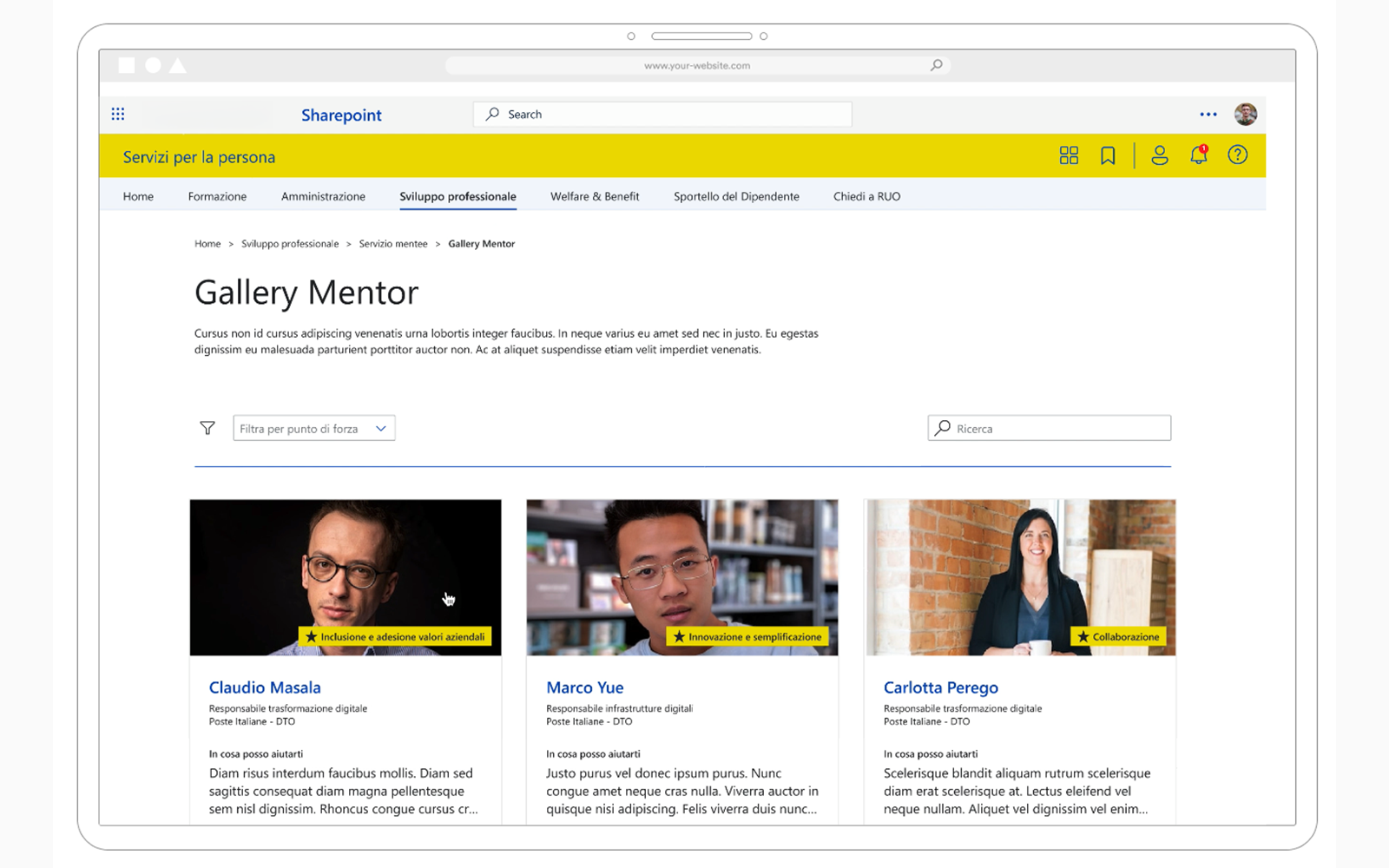
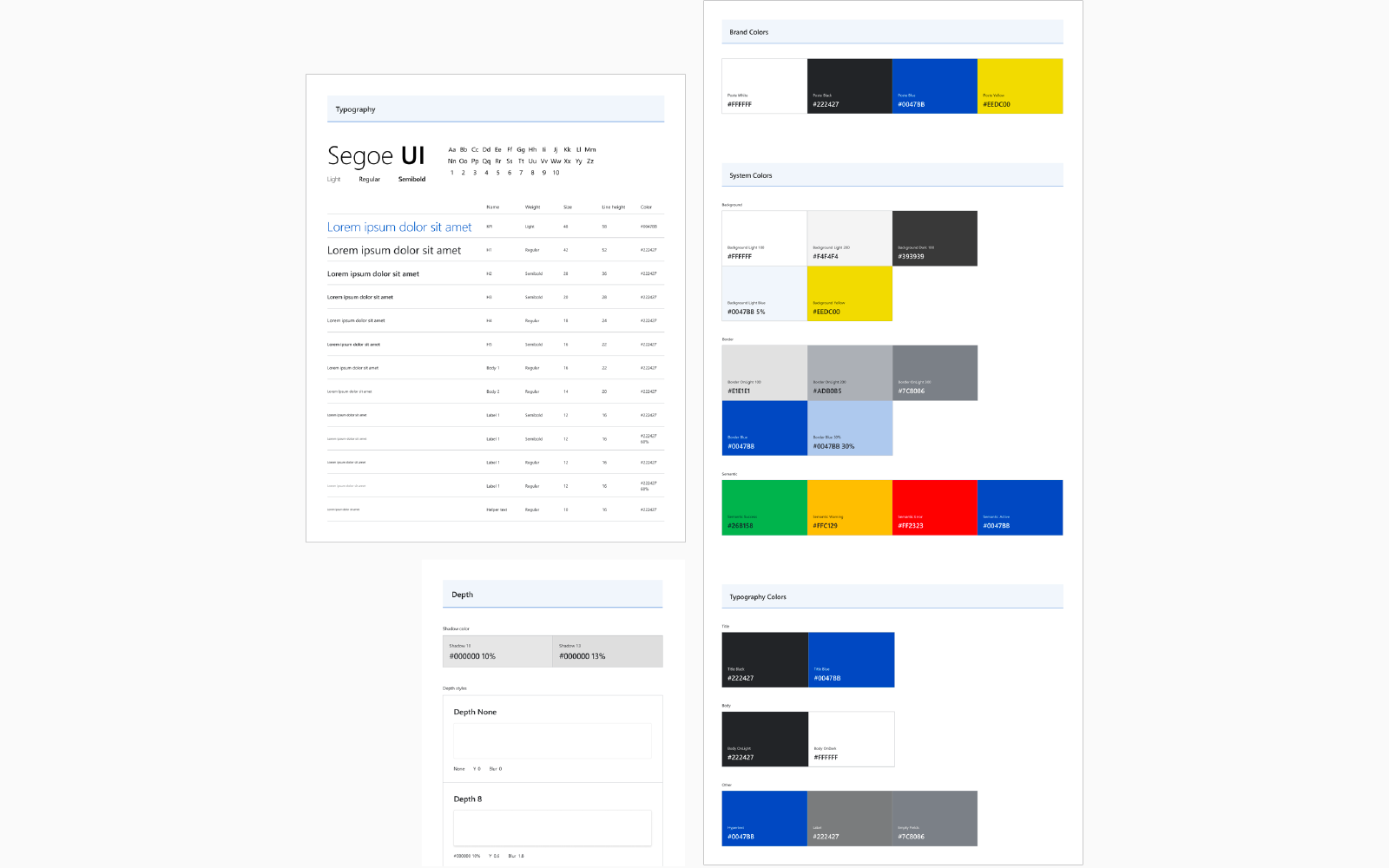
Built a shared component library — status cards, pipeline tables, contextual action panels — that assembled into different role views without bespoke design work per module. The constraint was SharePoint; the goal was to make it feel nothing like SharePoint.
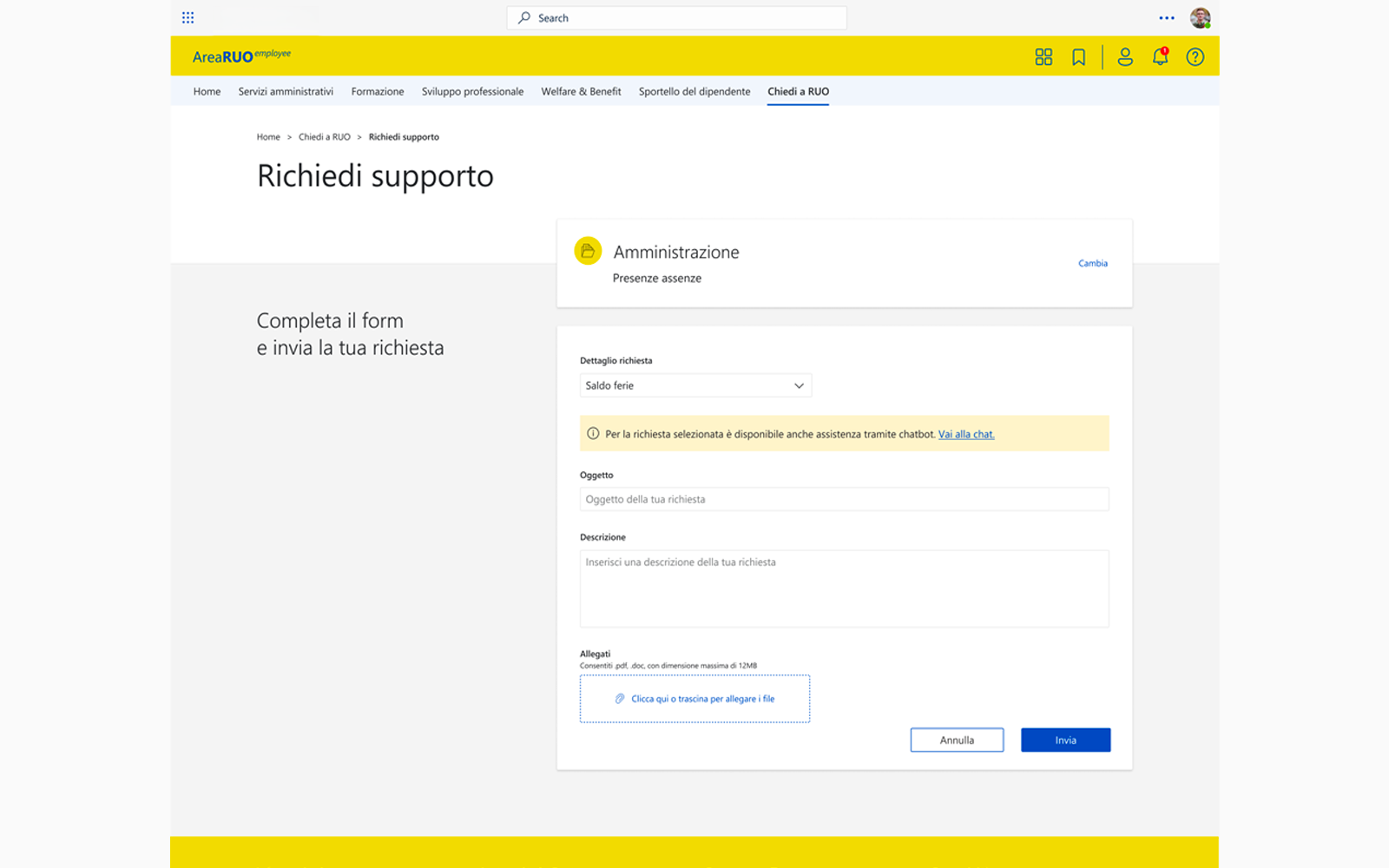
Each module was designed to work independently but share the same visual grammar — so the product felt coherent even though it was assembled across months, not shipped as a single release. The onboarding dashboard, the “Chiedi a RUO” support module, and the mentor gallery each served a distinct user need while drawing from the same component set.
Users could complete requests faster and with fewer errors. The platform became easier to extend with new workflows. The consistent UX reduced training effort for new employees — and because the component architecture was documented and extensible, every subsequent feature was delivered in weeks, not months.
I led the UX design for the workflow platform, collaborating with product owners, developers, and HR stakeholders.
I defined the interaction patterns, designed reusable components, and ensured the system could scale to support future processes across the organisation.

A mobile-first business banking platform serving freelancers, sole traders, and small business owners had strong adoption among individual users — but retention dropped sharply as soon as a second person joined the account. Receipts lived in a camera roll, categorisation happened at month-end under pressure, and reconciliation meant exporting a CSV and hoping a spreadsheet made sense of it. I led the redesign of the expense management flow end-to-end, from the moment a card payment lands to the moment the accountant signs off.
The platform had built a loyal user base among freelancers and sole traders, but engagement among limited companies and small teams was significantly lower. As soon as a business partner, a part-time employee, or an accountant entered the picture, the experience broke down.
There was no shared view of spending, no way to assign categories or notes to transactions in real time, and no path from a card transaction to a reconciled expense record without leaving the app entirely.
The redesign had to work within the existing card infrastructure and push notification system — we could not change how transactions were captured, only how they were presented and acted upon.
The experience had to serve a wide spectrum of financial literacy: a graphic designer invoicing three clients a month and a five-person agency with a shared card both needed to feel at home. Regulatory requirements around receipt retention shaped several flow decisions that could not be simplified away.
Business owners told us the same thing in almost every research session: they knew they were supposed to track expenses properly, and they intended to — but life got in the way. A receipt got photographed and never filed. A category got assigned wrong and never corrected. At quarter-end, reconciliation became a forensic exercise rather than a routine task.
The experience punished delay and rewarded only the most organised users.
“I know exactly what I spent. I just can’t prove it — not in the way my accountant needs.”
I led product design for the expense management initiative, embedded with a product manager, two iOS engineers, one Android engineer, and a backend engineer. I ran discovery, defined the interaction model, designed all flows across mobile and a lightweight web view for accountants, and led usability testing with business owners across three rounds.
I started with diary studies — asking participants to photograph every business transaction for two weeks and note what they did (or didn’t do) with the receipt. The pattern was consistent: capture happened immediately, everything else happened never.
We debated building a full accounting integration as the primary output. We chose not to — most users weren’t using those tools yet, and building toward the power user risked losing the majority. Instead, we designed a clean CSV and PDF export that any accountant could work with immediately, and scoped deeper integrations as a subsequent phase.
We also chose not to force immediate categorisation at point of purchase. Early prototypes that surfaced a categorisation prompt on every notification were dismissed as intrusive. The right moment was a low-friction nudge 24 hours later — when the purchase was fresh but the urgency had passed.
The first version of the reconciliation view tried to show everything: receipt image, merchant, amount, category, VAT flag, notes, and status — all on one card. It was overwhelming. Users said it felt like admin, not banking.
We stripped it back to a progressive disclosure model: the card showed only what mattered in the moment. Every additional field was one deliberate tap away. Testing showed completion rates on expense tagging increased significantly when we removed fields from the default view rather than adding them.
The most important design decision was reframing the product’s job-to-be-done. We weren’t building an expense tracker — we were building a system that made tax time feel like a non-event. Every design choice was evaluated against that frame: does this reduce the cognitive load at month-end, or does it move work earlier in time without reducing it?
The answer was a persistent “readiness score” — a quiet indicator in the business account overview showing what percentage of transactions for the period were fully documented. Not a warning, not a badge: a calm signal that the work was either done or not. Business owners responded to it immediately in testing — without any onboarding, they understood what it meant and what to do.
Accountants in the co-design sessions described the export format as the first time a banking product had given them something immediately usable. The readiness score became one of the most-mentioned features in app store reviews in the month following launch.
I led product design end-to-end: discovery, interaction design, prototyping, usability testing, and delivery support across iOS, Android, and the accountant web view.
I worked alongside the PM to define scope and sequence, and represented the design workstream in weekly stakeholder reviews.

An enterprise observability platform gives SRE and DevOps teams a unified view of logs, metrics, and traces across their infrastructure. The alerting layer is where that data becomes action: a rule fires, an engineer is paged, a decision gets made. The problem was that the path from alert to resolution had accumulated years of incremental additions. The experience of triaging an active incident had become genuinely hostile — dense, non-contextual, and architecturally disconnected from the data that would help an engineer understand what was happening and why. I led the redesign of the alert management and triage experience end-to-end.
Users were SREs, platform engineers, and DevOps practitioners — people operating under pressure, often in the middle of an incident, switching between the observability platform, an incident management tool, a messaging app, and a terminal. The alert list was their entry point into an active problem, but it provided almost no context: a rule name, a status, a timestamp.
Alert fatigue was a compounding problem. Teams managing large deployments were receiving hundreds of alerts per day, with no built-in triage mechanism, no grouping by service or environment, and no way to distinguish a well-understood recurring condition from a novel anomaly.
The platform was built on a mature, open-source design system with strict accessibility and consistency requirements. All design decisions had to work within the existing component model without requiring new primitives the system team hadn’t planned.
Backend alert data was structured around rule definitions, not service topology — surfacing service-level grouping required working with what the index already contained, not redesigning the data model.
Engineers triaging an alert needed to answer four questions in sequence: What fired? What does it mean? What is the current state of the system? What should I do? The existing interface answered the first question and left everything else to the engineer’s memory, their bookmarks, and their institutional knowledge.
“I know where to look. But the tool doesn’t. So I’m doing the joining in my head, every single time.”
I led UX design for the alerting triage initiative, working with two product managers, a team of five engineers, and the design system team. I ran a dedicated research programme with SREs and platform engineers across five enterprise customers, combining contextual inquiry — watching engineers work during on-call rotations — with structured interviews and a competitive audit of the leading incident management and monitoring tools on the market.
The most debated trade-off was information density. Power users wanted as much data as possible on a single screen. Less experienced users needed progressive disclosure and clear hierarchy. We chose a density model with sensible defaults and user-controlled column configuration, persisted per-user — avoiding two separate views while respecting both use cases.
We scoped out real-time alert correlation for the initial release: it required backend changes beyond the project’s scope. Instead, we designed manual grouping and tagging into the triage flow, giving teams a lightweight coordination mechanism that didn’t depend on ML inference.
Early prototypes embedded a full log stream directly in the alert detail panel. Engineers said it was useful but overwhelming — they didn’t want logs in the alert view, they wanted a fast path to the right logs. The design shifted from embedding data to providing contextual deep-links into the log and trace explorers, pre-filtered to the relevant service and time window.
Status transitions were initially handled through a dropdown action menu. Testing showed that engineers under pressure missed the menu entirely, scanning for a visible state change affordance. We promoted the three primary actions to persistent inline buttons with keyboard shortcuts, reducing time-to-acknowledge in lab sessions measurably.
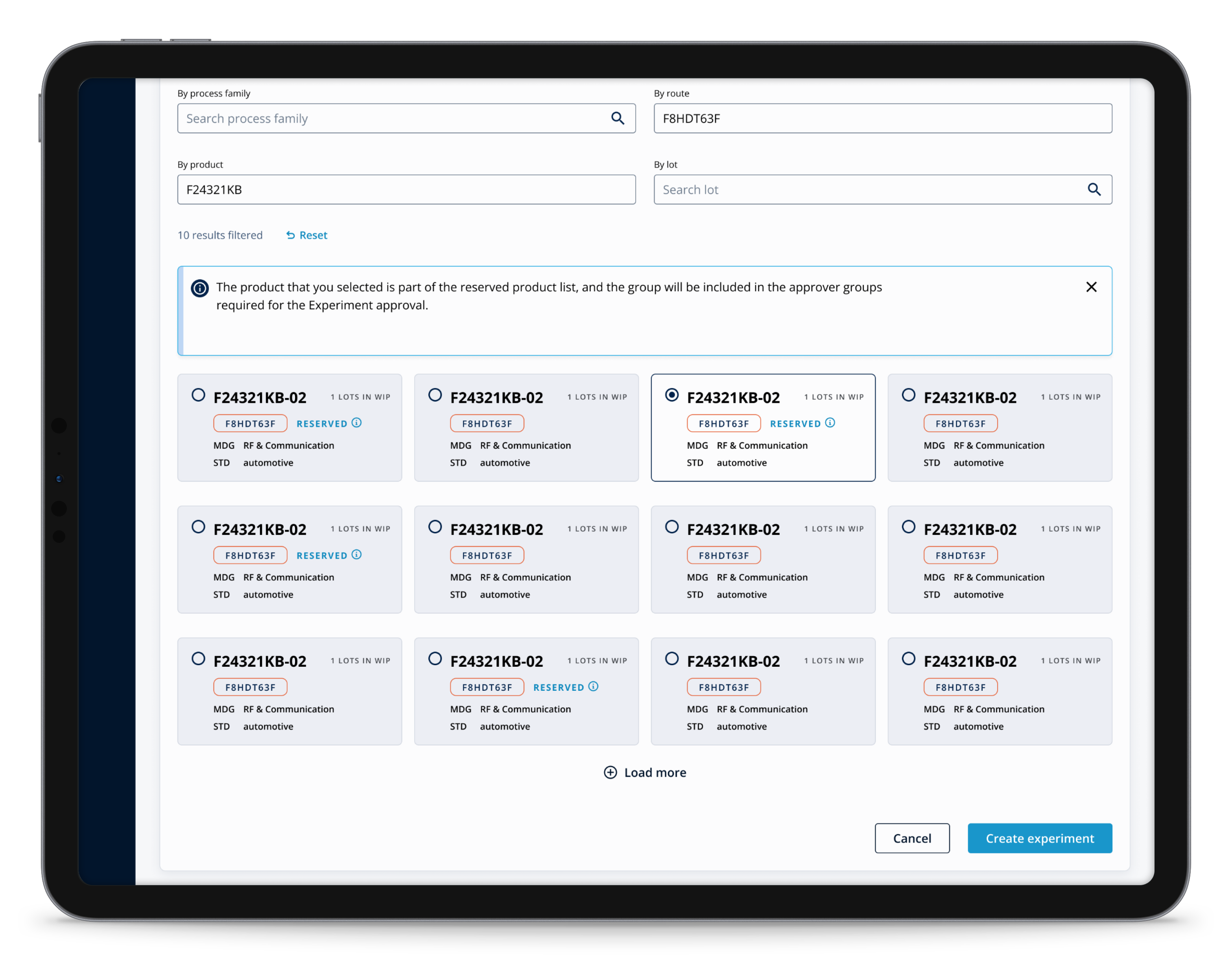
The central architectural decision was introducing a contextual side panel — a persistent detail view that opened alongside the alert list without replacing it. Engineers could navigate between alerts using keyboard shortcuts, maintaining list context while reading detail, without losing their place or scroll position.
The panel was structured in three zones: the alert header (what fired, when, current status), a related context section (pre-filtered links to logs, metrics, and traces), and a triage timeline (a chronological record of state changes, acknowledgements, and comments — giving teams shared incident context without requiring an external tool for straightforward cases).
All components were built within the existing design system primitives — no new components were added to the system. The side panel pattern was subsequently proposed to the design system team as a reusable pattern for other surfaces across the platform.
The contextual side panel was adopted as a foundational UX pattern across the platform’s roadmap. Internal satisfaction scores among enterprise observability users improved meaningfully in the quarter following launch, with alert management specifically mentioned as a driver in qualitative feedback.
I led product design end-to-end: research, interaction design, component specification within the design system, prototype validation with real SRE teams, and delivery support through to release.
I collaborated directly with the design system team to ensure all patterns were consistent and reusable, and presented the work at an internal design review with senior design leadership.
Ivan Brossa — Senior Product Designer, Milan, Italy. Contact: mail@ivanbrossa.it
Access log entries are retained for a maximum of 12 months, then deleted. Google Analytics data is retained per Google’s default retention policy (14 months). You may request earlier deletion at any time.
You have the right to access, rectify, erase, restrict, or port your data, and to object to processing. Contact mail@ivanbrossa.it. You may also lodge a complaint with the Italian data protection authority: Garante Privacy.
Data is stored on EU servers. No transfers outside the EEA.
May 2026